

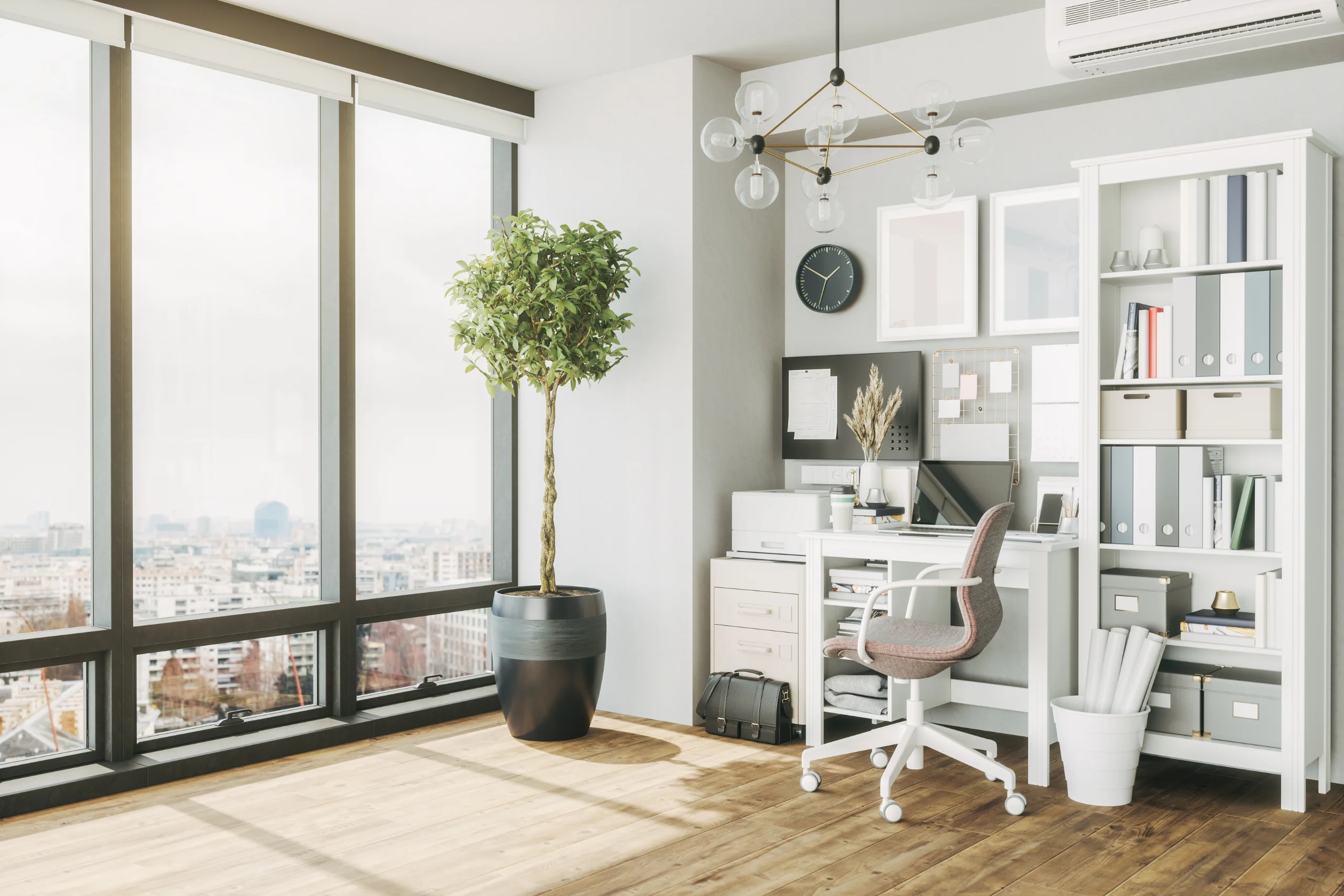
Working from home has become a norm for many, making the home office essential. A well-designed home office boosts productivity, enhances comfort, and supports your professional image. This guide will help you configure the best home office setup, combining practicality, style, and efficiency. We will cover essential equipment, smart lighting, effective workspace management, and more.
Table of Contents
1. Choose the Right Location
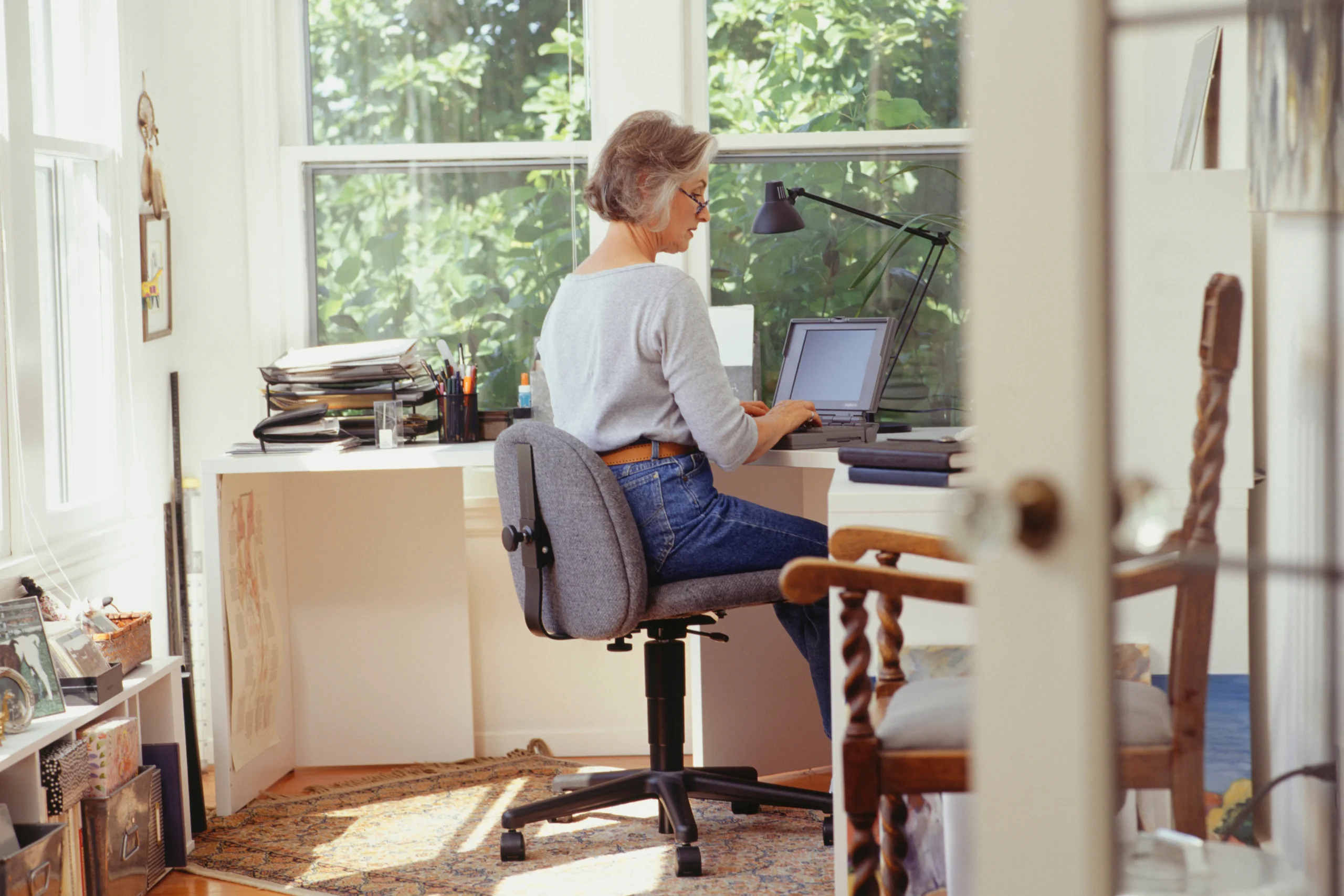
The first step in setting up a home office is selecting the right location. A well-chosen location can help minimize distractions, enhance productivity, and create a clear boundary between work and home life. The right location significantly boosts your productivity by providing a dedicated, isolated space to focus on work tasks without constant interruptions from household chores or non-work-related activities.
Why Location Matters
Choosing the right location for your home office is crucial because it helps create an environment conducive to work. A quiet, low-traffic area minimizes distractions, allowing you to concentrate better. Having a door to separate your work area from the rest of your home helps maintain a work-life balance, making it easier to switch between professional and personal time.
Ideal Locations for a Home Office
- Spare Room: If available, a spare room is ideal for a home office. It offers privacy and can be customized to suit your work needs.
- Attic or Basement: These areas are typically quieter and more isolated from the main living spaces, making them excellent options for a home office.
- Corner of a Bedroom: If space is limited, dedicating a corner of a bedroom can work. Use room dividers or curtains to create a distinct separation between your workspace and sleeping area.
- Converted Closet: A large closet can be converted into a compact office space. Install shelves and a small desk to create a functional workspace.
Alternative Arrangements Without an Extra Room
If you don’t have an extra room to set up a home office, there are several alternatives to create an effective and efficient workspace:
- Living Room Nook: Utilize an unused corner of your living room. Invest in a compact desk and storage solutions to keep the area organized.
- Dining Room Table: Dedicate a portion of your dining table to work. Use portable storage, like rolling carts, to keep work materials organized and easily movable.
- Hallway Desk: A wide hallway can accommodate a small desk and chair. Ensure the area is well-lit and free from heavy foot traffic.
- Under Staircase: The space under a staircase can be transformed into a cozy office nook. Install a built-in desk and shelves to maximize the space.
- Garden Shed: Convert a garden shed into a separate office space. This can provide a quiet, detached area away from household distractions.
By carefully selecting and optimizing your home office location, you can create a workspace that enhances focus, productivity, and work-life balance, even within limited space constraints.
Read the following:
- How to Choose the Right Location for Your Home Office
- 3 Reasons to Set Up Your Home Office Near a Window
- 7 Nontraditional Spaces for a Home Office
- How to Use the Garage for Your Home Business
2. Invest in Ergonomic Furniture
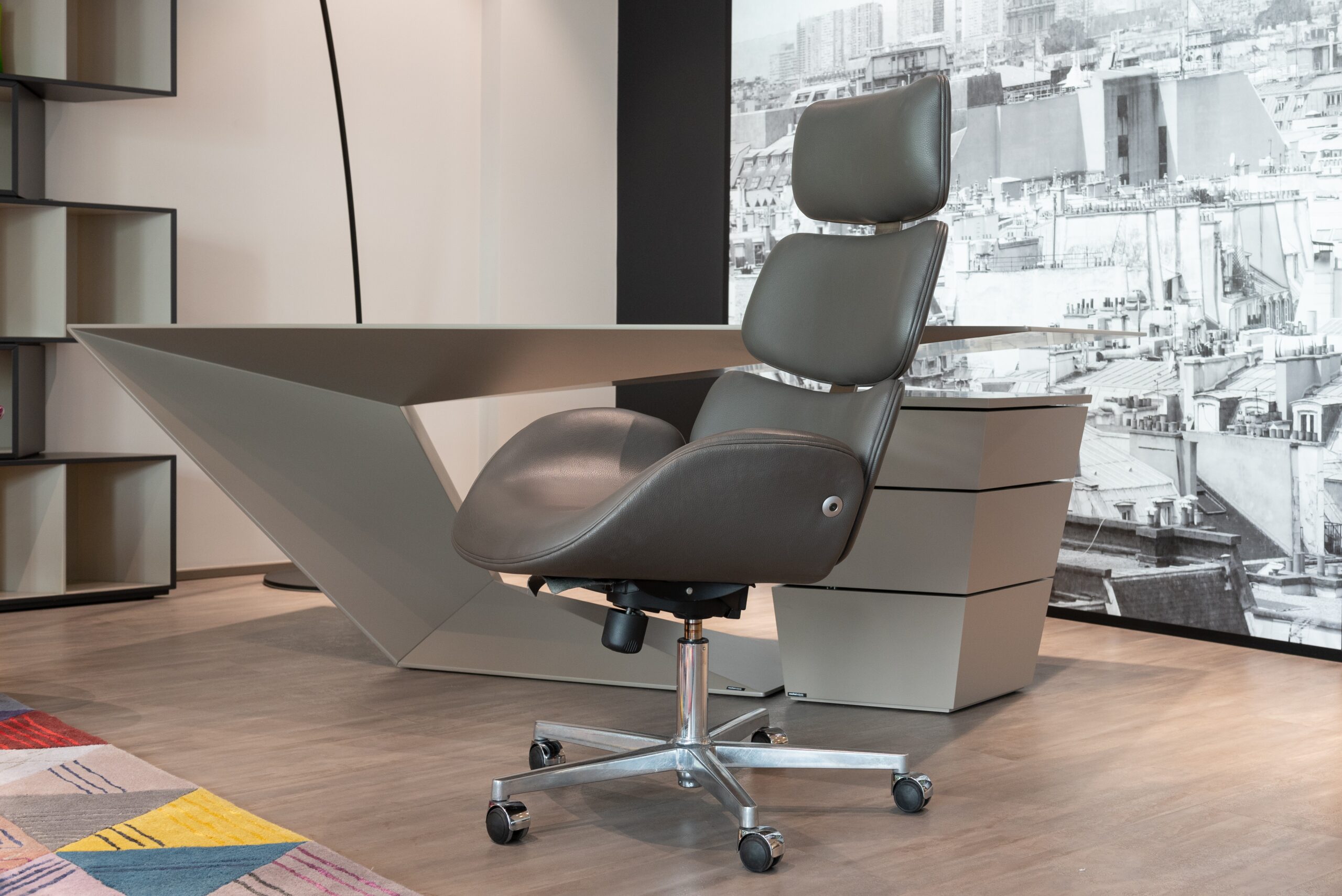
Ergonomic furniture is crucial in a home office setup because it enhances comfort, improves productivity, and prevents health issues associated with prolonged sitting. As a work-at-home entrepreneur, investing in ergonomic furniture can significantly impact your daily work experience and overall well-being.
Why Ergonomic Furniture Matters
Comfort and health are paramount when spending long hours at your desk. Ergonomic furniture supports your body’s natural posture and reduces the risk of strain and injury. Properly designed furniture helps maintain good posture, reduces the risk of back and neck pain, and minimizes fatigue. This not only makes you more comfortable but also more productive.
Essential Ergonomic Furniture for a Home Office
- Adjustable Chair: An ergonomic chair with lumbar support, adjustable height, and armrests is essential. This type of chair supports your lower back, promotes good posture, and can be adjusted to fit your body’s needs.
- Desk: A spacious desk that accommodates your computer, paperwork, and other essentials is vital. Consider investing in a standing desk to alternate between sitting and standing throughout the day. This can reduce the strain on your back and improve circulation.
- Monitor Stand: A monitor stand keeps your screen at eye level, preventing neck strain and reducing eye fatigue. Ensuring your monitor is at the correct height can significantly improve your comfort and posture.
Incorporating these ergonomic furniture pieces into your home office creates a more comfortable and health-conscious work environment, ultimately enhancing your productivity and well-being.
Read the following:
- How Standing Desks Are Revolutionizing The Modern Workplace?
- Home Office Furniture Buying Tips
- How to Select Your Home Office Chair
3. Optimize Lighting

Lighting is crucial in your home office setup, significantly impacting productivity and well-being. Proper lighting enhances focus, reduces eye strain, and creates a comfortable and inviting workspace. Here’s why lighting is important and what types of lighting a work-at-home entrepreneur should consider:
Why Lighting Matters
Good lighting is essential for maintaining high productivity levels and ensuring your well-being while working from home. Natural light is the ideal choice, offering numerous benefits, such as improving mood and energy levels. Positioning your desk near a window allows you to take full advantage of daylight, which reduces eye strain and makes your workspace more pleasant and inviting. However, natural light alone may not always be sufficient, especially during cloudy days or nighttime work hours.
Types of Lighting for a Home Office
- Natural Light: Position your desk near a window to maximize natural light exposure. This helps improve your mood and energy levels, reduces eye strain, and creates a more welcoming work environment.
- Smart Bulbs: Use smart bulbs with adjustable color temperature and brightness. These can be tailored to suit different times of the day, mimicking natural light cycles to help regulate your circadian rhythm. Adjusting the light temperature and intensity can help maintain your focus and comfort throughout the day.
- Task Lighting: Desk lamps with adjustable arms provide focused lighting for specific tasks. This type of lighting is essential for activities that require attention to detail, such as reading or writing. Task lighting ensures adequate light for close-up work, reducing eye strain.
- Ambient Lighting: Incorporate soft, indirect lighting to reduce glare and create a comfortable atmosphere. Ambient lighting helps to evenly illuminate the room, preventing harsh shadows and reducing overall eye strain. It creates a balanced lighting environment that supports sustained work without discomfort.
By combining natural light with smart lighting solutions, task lighting, and ambient lighting, you can create an optimal lighting setup for your home office. This comprehensive approach ensures that your workspace is well-lit, comfortable, and conducive to productivity, regardless of the time of day or weather conditions.
Read the following:
- How to Light Your Home Office Space for Maximum Productivity
- Using Smart Lighting for Your Home Office
- How to Use Natural Light To Your Advantage in Your Home Office
- How to Choose the Right Lighting Solution for your Commercial Space
4. Acoustic Panels for Sound Management

One of the biggest challenges of working from home is managing noise. Acoustic panels are crucial in a home office setup because they significantly reduce unwanted sounds, providing a quieter and more focused work environment. These panels absorb sound, minimizing echoes and background noise from other parts of the house or outside. Consider placing them on walls or ceilings, especially if your home office is in a noisy area.
Why Acoustic Panels Matter
Acoustic panels are essential for creating a serene and productive workspace. They absorb sound, reduce echoes, and improve the overall acoustics of your office. This leads to a more comfortable and focused environment, crucial for maintaining productivity and reducing stress.
Types of Acoustic Panels for a Home Office
- Foam Panels: These are cost-effective and easy to install. Foam panels are available in various shapes and sizes and can be strategically placed on walls to absorb sound and reduce noise.
- Fabric-Wrapped Panels: These panels offer better sound absorption and come in different colors and designs, allowing you to maintain your office’s aesthetic appeal while improving acoustics.
- Bass Traps: For more comprehensive sound management, bass traps can be used in the corners of your room to absorb low-frequency sounds, which are often the most disruptive.
Alternatives to Acoustic Panels
If acoustic panels are too expensive or not within your budget, there are several alternatives to minimize noise distractions:
- Rugs and Carpets: Place thick rugs or carpets on the floor to absorb sound. They are effective at reducing noise from footsteps and other movements.
- Heavy Curtains: Use heavy, sound-absorbing curtains on windows to block out external noise and improve the acoustics within the room.
- Bookshelves: Filled bookshelves can act as sound barriers. Position them against shared walls to dampen noise from adjacent rooms.
- Furniture Arrangement: Arrange furniture strategically to create natural sound barriers. Sofas, chairs, and large plants can help absorb and block noise.
- Weather Stripping: Apply weather stripping to doors and windows to seal gaps where sound might enter, reducing external noise intrusion.
By incorporating these strategies, you can create a quieter, more conducive work environment, enhancing your productivity and overall work experience.
Read the following:
- Why Acoustic Panels are Essential for a Productive Home Office
- 5 Ways to Avoid Distractions While Working at Home
- Tips for Creating a Distraction-Free Home Office
5. Effective Storage Solutions
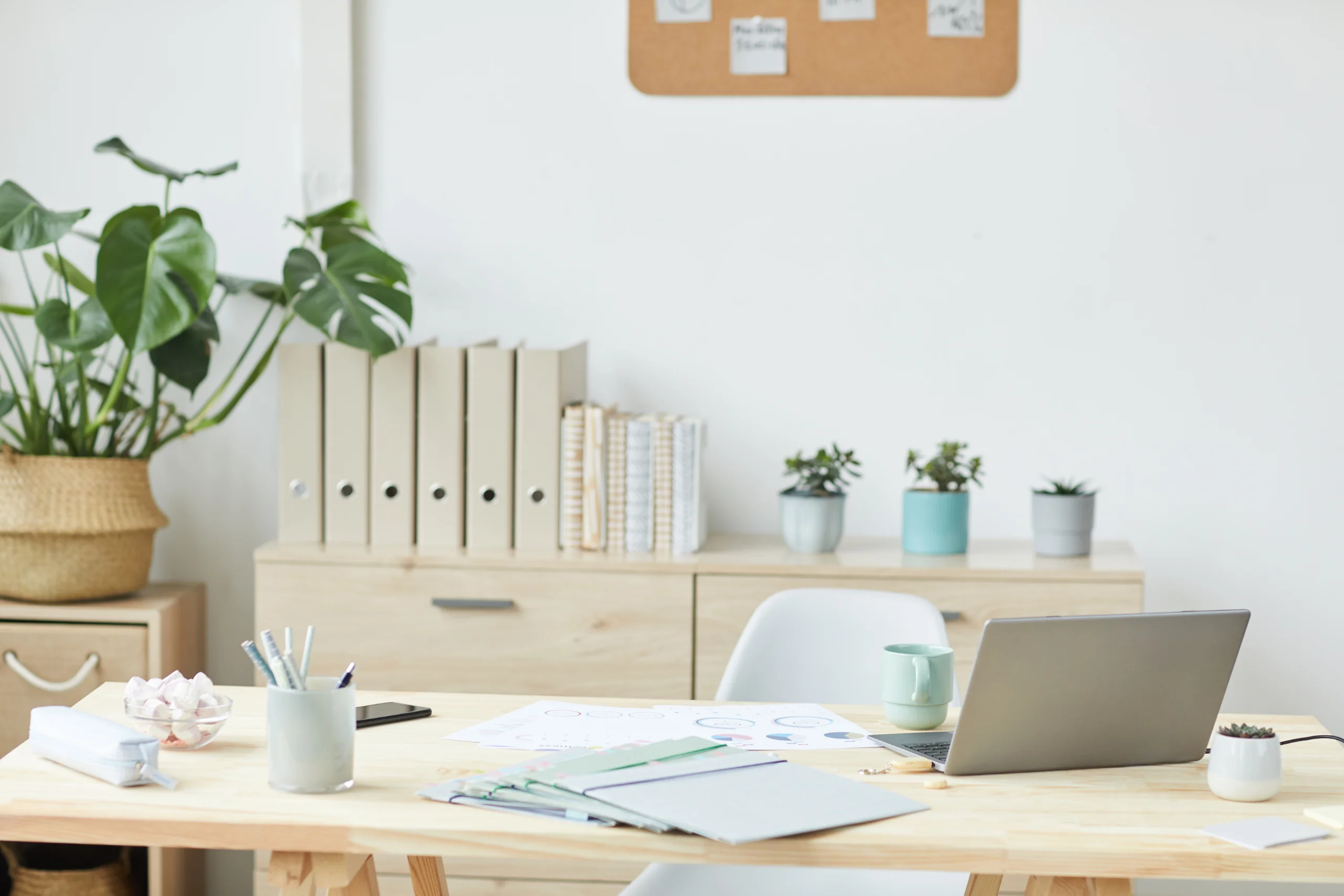
Effective storage solutions are crucial in a home office setup because they help keep your workspace organized, reduce clutter, and enhance productivity. A well-organized office minimizes distractions and maximizes efficiency, allowing you to focus on your tasks without the frustration of searching for misplaced items.
Why Storage Solutions Matter
Proper storage is essential for maintaining a tidy and efficient workspace. When everything has its place, you can work more effectively and with less stress. Organized storage also ensures that important documents and tools are easily accessible, reducing the time spent searching for them and allowing you to maintain a professional and productive environment.
Types of Storage Solutions for a Home Office
- Shelving Units: Utilize vertical space with shelves to maximize storage capacity. Wall-mounted organizers and shelves keep items off your desk, creating a clutter-free workspace.
- Filing Cabinets: Essential for storing documents and keeping them within reach. Filing cabinets help you organize paperwork systematically, making it easy to find what you need quickly.
- Multi-Functional Furniture: Invest in desks with built-in drawers or storage compartments. Multi-functional furniture can save space and keep your essentials organized.
- Drawer Organizers: Keep small items like pens, paper clips, and chargers neatly arranged. Drawer organizers prevent your desk from cluttering and help you find small items easily.
- Labeled Boxes and Folders: Labeling boxes and folders helps keep everything easily accessible and reduces the time spent searching for documents. This simple step can significantly enhance your organizational efficiency.
Alternative Arrangements on a Budget
If shelving units are too expensive or not within your budget, there are several alternatives to keep your workspace organized:
- DIY Shelves: Create your own shelves using affordable materials like wood planks and brackets. This can be a cost-effective way to add vertical storage.
- Repurposed Furniture: Use existing furniture creatively. For example, an old bookshelf can be repurposed for office storage, or a small dresser can serve as a filing cabinet.
- Storage Bins and Baskets: Inexpensive storage bins and baskets can organize documents, supplies, and other office essentials. These can be placed under your desk or on existing furniture.
- Portable Storage Carts: Rolling storage carts are affordable and versatile. They can be moved around as needed and provide additional storage for office supplies.
- Wall Hooks and Pegboards: Install hooks or pegboards on your walls to hang items like headphones, cables, and tools. This keeps your desk clear and utilizes wall space efficiently.
You can maintain an organized, efficient, and productive home office environment by implementing effective storage solutions, whether through investment in specialized furniture or creative, budget-friendly alternatives.
Read the following:
- How Under Desk Storage can Maximise your Home Office Space
- How to Organize the Work Space for Your Home Business
- Setting Up a Home Office? Don’t Forget These 6 Must-Haves
- 7 Tips for Effective Home Office Workspace Management
6. Personalize Your Space

Personalizing your home office can boost your morale and make your workday more enjoyable.
Why Personalizing Your Space is Important
Personalizing your home office is crucial because it transforms a generic workspace into an environment that reflects your identity, boosts morale, and enhances creativity. Surrounding yourself with items that inspire and uplift you, you can make your workday more enjoyable and motivating. A personalized office feels more comfortable and promotes a positive mindset, significantly improving productivity and overall work satisfaction.
Types of Personalization for Work-at-Home Entrepreneurs
- Artwork and Photos: Displaying personal items like family photos, motivational quotes, and artwork can create a sense of familiarity and comfort. These items remind you of your goals and values, inspiring you throughout the day.
- Plants: Incorporating plants into your workspace can improve air quality, reduce stress, and add a touch of nature. Plants like succulents, peace lilies, or snake plants are low-maintenance and budget-friendly.
- Decorative Items: Choose decorative items that reflect your personality and style. This can include unique desk accessories, colorful stationery, or even a stylish rug. However, it’s important to avoid cluttering your space, as too many decorations can become distracting.
- Colors and Textures: The colors and textures in your office can have a significant impact on your mood and productivity. Choose colors that you love and that make you feel calm and focused. Incorporating different textures through items like cushions, throws, or wall art can add depth and interest to your space.
Budget-Friendly Tips for Personalizing Your Home Office
- DIY Projects: Get creative with do-it-yourself projects. You can create your own artwork, repurpose old furniture, or make custom desk accessories. Websites like Pinterest offer plenty of inspiration and step-by-step guides for budget-friendly DIY projects.
- Thrift Stores and Garage Sales: These are great places to find unique and inexpensive decorative items, furniture, and artwork. With a bit of patience, you can discover hidden gems that add character to your home office.
- Printable Art: Printable artwork is a cost-effective way to decorate your walls. Websites like Etsy offer a wide range of affordable digital prints that you can download and frame yourself.
- Inexpensive Plants: Many budget-friendly stores and garden centers offer a variety of affordable plants. Look for sales or discounts to get the best deals. Additionally, propagating plants from cuttings can be a cost-effective way to grow your plant collection.
- Personal Mementos: Use items you already have at home to personalize your space. This can include souvenirs from trips, gifts from loved ones, or anything that holds sentimental value. These items decorate your office and bring a personal touch that is uniquely yours.
- Upcycling: Upcycle old furniture and decor to give them a new life. A fresh coat of paint or new hardware can transform an old desk or chair into something that feels brand new and personalized.
Personalizing your home office is essential to creating a productive and enjoyable workspace. By incorporating personal touches such as artwork, plants, and decorative items, you can transform a generic office into a space that reflects your personality and inspires creativity. With these budget-friendly tips, you can personalize your home office without breaking the bank, ensuring your workspace is functional and uniquely yours.
Read the following:
- How to Personalize Your Home Office and Inspire Productivity
- How to Turn Your Home Into an Office?
- How to Beautify Your Home Office
- Follow These 7 Design Tips for an Inspiring Home Office
- The Ultimate Guide to Designing Your Home Office
7. Make It Eco-Friendly
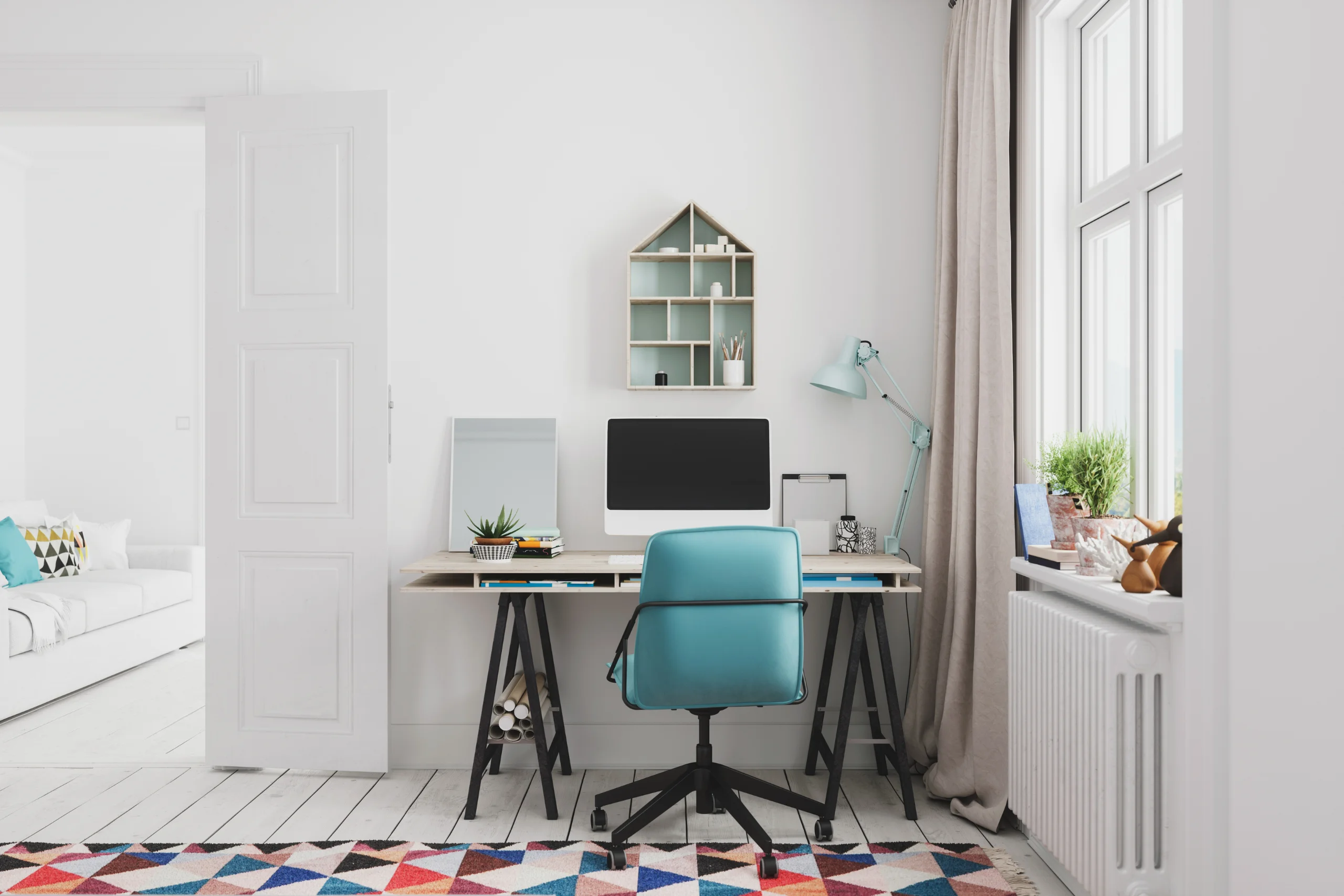
Creating an eco-friendly home office is not only beneficial for the environment but also enhances your health and well-being. An environmentally conscious workspace can lead to a more pleasant and productive work environment while helping to reduce your carbon footprint. Here are some budget-friendly tips to make your home office eco-friendly without breaking the bank:
Benefits of an Eco-Friendly Office
- Environmental Impact: Reducing energy consumption and waste helps lower your carbon footprint, contributing to a healthier planet.
- Health and Well-Being: Eco-friendly practices can improve indoor air quality and create a more pleasant atmosphere, positively affecting your mood and productivity.
- Cost Savings: Energy-efficient solutions often lead to lower utility bills, saving you money in the long run.
Eco-Friendly Practices for Your Home Office
- Energy-Efficient Lighting:
- Use LED bulbs, which consume less energy and last longer than traditional bulbs.
- Consider smart lighting solutions that adjust brightness based on natural light levels, further reducing energy use.
- Sustainable Furniture and Decor:
- Choose furniture made from recycled or sustainably sourced materials. Thrift stores and online marketplaces often offer budget-friendly options.
- Decorate with plants, which improve air quality and add a touch of nature to your workspace.
- Energy-Efficient Equipment:
- Opt for computers, printers, and other office equipment with energy-saving features such as Energy Star ratings.
- Use power strips to easily turn off multiple devices when not in use, reducing phantom energy consumption.
- Paperless Office:
- Reduce paper usage by digitizing documents and utilizing cloud storage solutions.
- When printing is necessary, use recycled paper and print double-sided to minimize waste.
- Recycling and Waste Reduction:
- Set up a recycling station in your home office for paper, plastic, and electronic waste.
- Compost organic waste, such as coffee grounds and food scraps, to further reduce landfill contributions.
- Temperature Control:
- Use a programmable thermostat to manage heating and cooling efficiently.
- Insulate your home office space to maintain a comfortable temperature without over-reliance on HVAC systems.
By incorporating these eco-friendly practices, you can create a home office that supports your work needs while also being kind to the environment and your budget. Small changes, such as switching to LED bulbs or recycling more diligently, can have a significant impact over time, making your workspace more sustainable and enjoyable.
Read the following:
- 10 Tips for Maintaining a Spotless Workspace
- Customizing your Home Office: Windows with Built-in Blinds
- Picking the Right Paint for Your Office Space
- Hiding the Tangle of Cords On Your Desk: 3 Containment Strategies
8. Health and Wellness
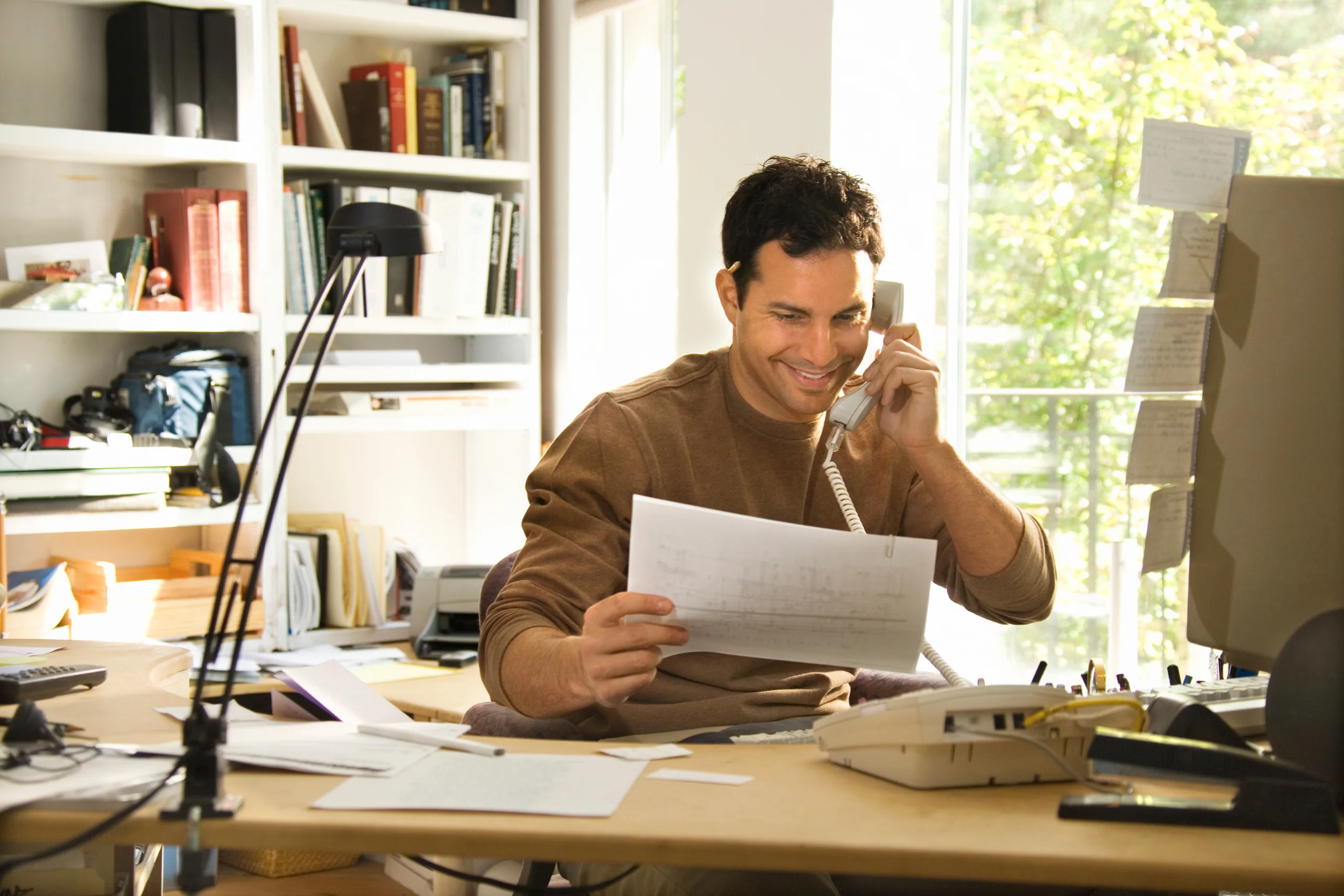
Creating a home office that promotes health and wellness is crucial for maintaining long-term productivity and well-being. A healthy workspace can prevent physical strain, reduce stress, and improve overall work efficiency. Here are some practical tips to set up a health-promoting home office without breaking the bank:
Importance of Health and Wellness in a Home Office
- Physical Health: An ergonomic setup prevents strain and injury, reducing the risk of musculoskeletal problems.
- Mental Health: A comfortable and well-organized workspace can reduce stress and enhance focus.
- Overall Well-Being: Regular movement and good air quality contribute to a healthier lifestyle, improving energy levels and productivity.
Health and Wellness Tips for Your Home Office
- Ergonomic Setup:
- Proper Posture: Invest in a comfortable chair that supports good posture. Look for budget-friendly ergonomic chairs or add a lumbar support cushion to your existing chair.
- Adjustable Desk: If a standing desk is out of your budget, consider a desk converter that allows you to switch between sitting and standing.
- Breaks and Movement:
- Regular Breaks: Set a timer to remind yourself to take breaks every hour. Use this time to stretch, walk around, or do a quick exercise.
- Mini Workouts: Dedicate a small area in your home office for quick workouts or relaxation exercises. You don’t need expensive equipment; a yoga mat and some resistance bands can be very effective.
- Air Quality and Ventilation:
- Air Purifier: Use an air purifier to improve indoor air quality. If purchasing one is too costly, ensure proper ventilation by opening windows regularly to let in fresh air.
- Indoor Plants: Incorporate plants into your office decor. Plants like snake plants and spider plants are affordable and excellent for purifying air.
- Lighting:
- Natural Light: Position your desk near a window to take advantage of natural light, which can boost mood and energy levels.
- Task Lighting: Use affordable LED desk lamps to reduce eye strain during evening work hours.
- Proper Hydration and Nutrition:
- Water: Keep a water bottle at your desk to stay hydrated throughout the day.
- Healthy Snacks: Stock up on healthy snacks like nuts, fruits, and yogurt to avoid unhealthy eating habits.
- Mental Wellness:
- Declutter: Keep your workspace clean and organized to reduce stress and increase focus.
- Personal Touches: Decorate your office with items that make you happy and motivated, such as photos, artwork, or inspirational quotes.
- Technology and Eye Care:
- Screen Position: Ensure your monitor is at eye level to reduce neck strain.
- Blue Light Filter: Use a blue light filter on your screens or wear blue light glasses to reduce eye strain from prolonged screen time.
Incorporating these health and wellness elements into your home office allows you to create a workspace that supports your physical and mental well-being. Many of these tips are budget-friendly and can be easily implemented, ensuring your home office remains productive and healthy.
Read the following:
- Feng Shui Tips for the Home Office
- How to Incorporate Standing Into Your Daily Routine
- How the Right Light Bulb Can Increase Your Productivity
9. Ensuring Data Security in Your Home Office

In the era of remote work, data security has become a critical concern for home office setups. Protecting your sensitive information is essential to prevent data breaches, identity theft, and other cyber threats. Here are some practical tips and budget-friendly solutions to enhance data security in your home office:
Importance of Data Security in a Home Office
- Protecting Sensitive Information: Safeguarding client data, financial records, and personal information is vital to prevent unauthorized access and potential misuse.
- Preventing Cyber Attacks: Strong data security measures help protect against malware, phishing attacks, and other cyber threats.
- Maintaining Professional Integrity: Ensuring data security builds trust with clients and stakeholders, demonstrating your commitment to protecting their information.
Data Security Tips for Home Offices
- Secure Wi-Fi Network:
- Strong Passwords: Use a strong, unique password for your Wi-Fi network to prevent unauthorized access. Avoid using common words or easily guessable information.
- Encryption: Enable WPA3 encryption on your router to enhance security. If your router does not support WPA3, WPA2 is the next best option.
- Antivirus and Anti-Malware Software:
- Regular Updates: Keep your antivirus and anti-malware software up to date to protect against the latest threats. Free options like Avast or Windows Defender can provide basic protection.
- Scheduled Scans: Set up regular scans to identify and remove any potential threats from your system.
- Strong Passwords and Two-Factor Authentication:
- Password Management: Use a password manager to generate and store strong, unique passwords for all your accounts. Free options like LastPass or Bitwarden can be effective.
- Two-Factor Authentication (2FA): Enable 2FA on all critical accounts to add an extra layer of security. Many services offer free 2FA options via SMS or authenticator apps like Google Authenticator.
- Regular Backups:
- Cloud Storage: Utilize cloud storage solutions like Google Drive, Dropbox, or OneDrive to back up important data. These services often offer free storage plans with sufficient space for essential documents.
- External Drives: Invest in an external hard drive for offline backups. Regularly back up your data to ensure you have a copy in case of hardware failure or cyber attacks.
- Virtual Private Network (VPN):
- Secure Connections: Use a VPN to encrypt your internet connection, especially when accessing sensitive information or using public Wi-Fi. Affordable VPN options like NordVPN or Surfshark can provide robust security.
- Free Alternatives: For basic use, free VPN services like ProtonVPN offer limited but reliable protection.
- Software and System Updates:
- Automatic Updates: Enable automatic updates for your operating system and all software to ensure you are protected against the latest vulnerabilities.
- Manual Checks: Regularly check for updates and patches for any software that does not update automatically.
- Physical Security:
- Lock Devices: Use strong passwords or biometric locks on your devices to prevent unauthorized access.
- Secure Storage: Store sensitive documents and external drives in a locked drawer or safe when not in use.
By implementing these data security measures, you can create a secure home office environment that protects your sensitive information without incurring significant costs. Simple practices like using strong passwords, enabling two-factor authentication, and regularly updating your software can go a long way in safeguarding your data and maintaining professional integrity.
Read the following:
- Data Protection in the Home Office: 7 Best Practices for Security
- Keep Your Home-Based Business Secure With These Tips
- Data Security Tips While Working from Home
- Reasons Why You Shouldn’t Ignore Cybersecurity
10. Client-Friendly Setup
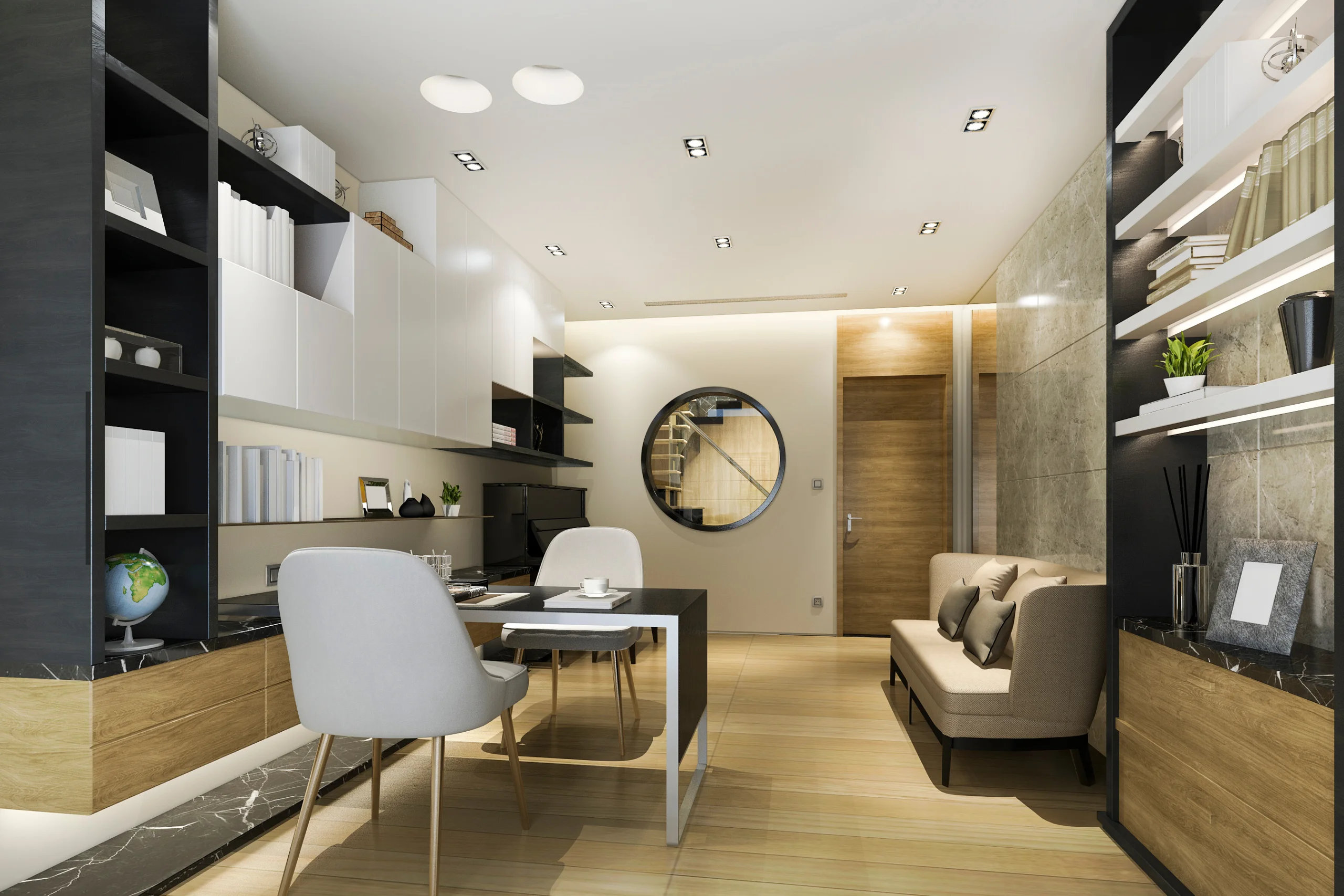
Creating a client-friendly home office is crucial for work-at-home entrepreneurs who meet with clients. A professional and welcoming environment can make a positive impression, foster trust, and enhance your business relationships. Here are some budget-friendly tips to ensure your home office is ready to receive clients without breaking the bank.
Why a Client-Friendly Setup is Important
- Professionalism: A well-organized and professional space reflects positively on your business, showing clients that you are serious and dedicated.
- Comfort and Convenience: Providing a comfortable and accessible environment can make clients feel valued and respected.
- Confidentiality: Ensuring privacy for client meetings builds trust and demonstrates your commitment to their confidentiality.
Creating a Client-Friendly Home Office
- Comfortable Seating:
- Provide chairs that are both comfortable and professional. Look for second-hand or refurbished options to save money while still offering quality seating.
- Tidy and Professional Space:
- Keep your office clean and free of clutter. Use storage solutions like shelves, drawers, and organizers to maintain a neat appearance.
- Opt for neutral colors and simple decor to create a professional atmosphere that appeals to a wide range of tastes.
- Privacy:
- Choose a quiet area of your home for your office, preferably with a door that can be closed to ensure privacy during meetings.
- Use room dividers or curtains if a separate room is not available, creating a distinct and private meeting space within a larger area.
- Accessibility:
- Ensure your home office is easily accessible for clients. If possible, choose a space near an entrance to minimize disruptions to the rest of your home.
- Provide clear signage or instructions for clients to find your office easily.
- Professional Backdrop:
- Create a professional backdrop for video calls and in-person meetings. A simple bookshelf, framed certificates, or tasteful artwork can enhance the visual appeal of your office.
- Refreshment Area:
- Consider adding a small coffee station or a refreshment area. Offer water, coffee, or tea to make clients feel more comfortable. This can be done inexpensively with a small cart or a dedicated corner of your office.
Budget-Friendly Tips
- Second-Hand Furniture:
- Shop at thrift stores, garage sales, or online marketplaces for affordable furniture and decor. Often, you can find high-quality items at a fraction of the cost.
- DIY Improvements:
- Make simple DIY improvements to your space, such as repainting walls, refurbishing old furniture, or creating custom decor pieces. This can personalize your office without spending much.
- Affordable Storage Solutions:
- Use budget-friendly storage options like plastic bins, repurposed boxes, or inexpensive shelving units to keep your office organized.
- Minimalist Decor:
- Focus on minimalist decor to save money while maintaining a clean and professional look. Less is often more when it comes to creating a sophisticated environment.
Following these tips, you can create a client-friendly home office that impresses clients and supports your professional image without busting the bank. A well-thought-out and welcoming workspace enhances client interactions and contributes to your overall business success.
Read the following:

Conclusion: Home Office Setup:
A well-designed home office can significantly impact your productivity and well-being. By carefully selecting the location, investing in ergonomic furniture, optimizing lighting, managing sound, and incorporating personal touches, you can create a workspace that meets all your professional needs. Embrace eco-friendly practices and prioritize data security to make your home office a productive and sustainable environment.
Equip your home office with must-have equipment, personalize your space, and create a comfortable, efficient, and inspiring environment to thrive in your work-from-home journey.
