

Affiliate Disclosure: As an Amazon Associate, we earn from qualifying purchases. This article may contain affiliate links, which means we may earn a commission if you purchase through our links, at no additional cost to you.
A well-planned home office helps new entrepreneurs stay focused, organized, and productive. This checklist explains what to buy first, what can wait, how to set up your workspace on a budget, and which mistakes to avoid when creating a business-ready home office.
Key Takeaways
- A home office does not need to be expensive, but it should be comfortable, organized, and built around the way you actually work.
- New entrepreneurs should prioritize essentials first: a reliable desk, ergonomic chair, dependable computer, strong internet, good lighting, and basic organization tools.
- Avoid buying too much too soon. Start with what helps you work, communicate with customers, stay organized, and generate income.
- Your setup should match your business type. A consultant may need better video call equipment, while an ecommerce seller may need storage, shipping supplies, and a label printer.
- Ergonomics matter. A supportive chair, proper monitor height, keyboard, mouse, and good lighting can make long work sessions easier and more productive.
- Keep business documents, receipts, contracts, and financial records organized from the beginning to make bookkeeping and tax preparation easier.
- Upgrade gradually as your business grows. Premium furniture, multiple monitors, advanced cameras, and extra décor can wait until your business has steady income.
Starting a business from home sounds simple until you realize how much your workspace affects your productivity, focus, and professionalism. A kitchen table may work for a few days, but once you start taking client calls, organizing paperwork, managing orders, creating content, or working long hours, your setup begins to matter.
Your home office does not need to be expensive or picture-perfect. In fact, many new entrepreneurs waste money buying too much too soon. The better approach is to build your office around how you actually work. A freelance writer, online seller, consultant, virtual assistant, bookkeeper, handmade product seller, and home-based food entrepreneur may all need different tools.
This home office setup checklist will help you decide what to buy first, what can wait, and how to create a workspace that supports your business without draining your startup budget.
Table of Contents
Why Your Home Office Setup Matters
A home office is more than a desk and a laptop. It is the place where you make decisions, serve customers, manage money, plan marketing, create products, and build your business. If your workspace is uncomfortable, cluttered, poorly lit, or constantly interrupted, it becomes harder to work consistently.
A dedicated workspace can also help you separate “home mode” from “business mode.” That separation matters when you are trying to build routines, meet deadlines, and stay focused without a boss or team nearby.
There may also be tax considerations. The IRS says the home office deduction generally requires that a space be used regularly and exclusively for business and that it be the principal place of business or otherwise meet specific requirements. New entrepreneurs should review IRS guidance or speak with a tax professional before claiming any deduction.
Who This Home Office Checklist Is For
This checklist is designed for new entrepreneurs who are starting or running a business from home, including freelancers, consultants, coaches, ecommerce sellers, virtual assistants, content creators, online teachers, bookkeepers, service providers, and owners of small product-based businesses.
It is especially useful if you are setting up your first serious workspace and want to avoid overspending. You do not need to buy everything at once. The goal is to create a practical, comfortable, and organized office that helps you work better from day one.
What to Buy First for a Home Office
When you are just starting out, prioritize the items that directly affect your comfort, ability to work, customer communication, and organization.
1. A Reliable Desk or Work Surface
Your desk does not need to be fancy, but it should give you enough room to work comfortably. At minimum, you need space for your computer, keyboard, mouse, notebook, phone, and any documents you use regularly.
For most new entrepreneurs, a simple writing desk, computer desk, or small standing desk converter is enough. If your business involves packing orders, reviewing printed materials, or using multiple monitors, choose a wider desk or an L-shaped workstation.
What to look for:
| Feature | Why It Matters |
|---|---|
| Enough surface space | Prevents clutter and gives you room to work |
| Stable frame | Reduces wobbling during typing or video calls |
| Cable management | Keeps cords from becoming messy or unsafe |
| Storage options | Helps keep business supplies close by |
| Proper height | Supports better posture and comfort |
Items to Consider for Your Desk Setup
Depending on your available space and how you work, here are a few desk-related items to consider:
- Computer desk — A practical choice for most new entrepreneurs who mainly use a laptop or desktop computer.
- Writing desk — Best for small spaces, simple setups, or entrepreneurs who do mostly laptop-based work.
- L-shaped desk — Helpful if you need more surface area for paperwork, packaging, multiple monitors, or client files.
- Standing desk converter — A budget-friendly way to alternate between sitting and standing without replacing your entire desk.
- Cable management tray — Keeps cords organized and prevents your workspace from feeling cluttered.
2. An Ergonomic Office Chair
If you spend hours working at your desk, your chair is one of the most important purchases you will make. A cheap chair may save money upfront, but discomfort can make long work sessions harder.
OSHA’s computer workstation guidance highlights the importance of workstation components such as chairs, desks, keyboards, monitors, and proper positioning. Ergonomics is about fitting the job to the person, which can help reduce fatigue and work-related discomfort.
Look for an office chair with adjustable height, lumbar support, a supportive seat cushion, and armrests if you need them. You do not need a luxury chair, but you do need one that supports your body during daily work.
What to look for:
| Feature | Why It Matters |
|---|---|
| Adjustable height | Helps align your feet, knees, and desk position |
| Lumbar support | Supports the lower back |
| Comfortable seat cushion | Makes longer work sessions easier |
| Adjustable armrests | Reduces shoulder and wrist strain |
| Breathable material | Helps with comfort during long days |
Items to Consider for Your Office Chair Setup
Depending on how many hours you spend at your desk each day, here are a few chair-related items to consider:
- Seat cushion — A simple upgrade if your current chair is too firm or uncomfortable for longer work sessions.
- Ergonomic office chair — A better choice for entrepreneurs who work long hours and need adjustable back, seat, and arm support.
- Lumbar support pillow — Helpful if your current chair does not provide enough lower-back support.
- Footrest — Useful if your feet do not rest comfortably on the floor when your chair is adjusted to the right height.
- Chair mat — Helps protect hardwood floors, carpet, or tile from daily chair movement.
3. A Laptop or Desktop Computer That Matches Your Work
Many new entrepreneurs can start with a laptop they already own. However, if your current computer is slow, unreliable, or unable to handle your daily tasks, upgrading may be worth it.
Think about the software you use. A writer, consultant, or virtual assistant may only need a reliable laptop for email, documents, spreadsheets, and video calls. A designer, video editor, photographer, or ecommerce seller managing large files may need more memory, storage, and processing power.
Basic home office computer needs:
| Business Type | Suggested Setup |
|---|---|
| Freelancing, consulting, coaching | Reliable laptop, webcam, microphone, office software |
| Ecommerce | Laptop or desktop, label printer, external storage |
| Design or video work | Higher-performance laptop/desktop, external monitor, backup drive |
| Bookkeeping or admin services | Laptop, dual monitor, secure backup system |
| Online teaching or consulting | Laptop, webcam, microphone, lighting, stable internet |
Items to Consider for Your Computer Setup
Your computer should match the type of work you do, not just the lowest price you can find. Here are a few items to consider:
- Laptop cooling stand — worth considering if your laptop overheats during long work sessions or video calls.
- Business laptop — A flexible option for entrepreneurs who work from different rooms, coffee shops, coworking spaces, or client locations.
- Desktop computer — A good choice if you mostly work from one location and want a larger, more permanent setup.
- External monitor — Helpful for multitasking, reviewing documents, managing spreadsheets, or working with multiple browser tabs.
- External hard drive — Useful for backing up business files, product photos, client documents, and important records.
4. A Second Monitor
A second monitor is not required, but it can make a big difference if you work with multiple tabs, spreadsheets, design tools, accounting software, customer messages, or research.
For example, you can keep your email or project management tool open on one screen while working on documents on the other. If you handle customer service, bookkeeping, online orders, or marketing tasks, the productivity boost can be significant.
What to look for:
| Feature | Why It Matters |
|---|---|
| 24-inch or larger screen | Comfortable for everyday business tasks |
| Adjustable stand | Helps position the screen at eye level |
| HDMI/USB-C compatibility | Makes connection easier |
| Blue light or eye comfort settings | Helpful for long work sessions |
Items to Consider for a Second Monitor Setup
A second monitor can make your home office feel much more efficient, especially if you work with multiple tools at once. Here are a few items to consider:
- HDMI or USB-C cable — Make sure you have the right cable to connect your laptop or desktop to the monitor.
- 24-inch monitor — A practical size for most home offices and everyday business tasks.
- USB-C monitor — Helpful if your laptop supports USB-C and you want a cleaner, simpler connection.
- Monitor stand — Raises your screen closer to eye level and can create extra storage space underneath.
- Dual monitor arm — Useful if you want a cleaner desk and more flexibility in positioning your screens.
5. Keyboard, Mouse, and Laptop Stand
If you use a laptop every day, avoid hunching over the built-in screen and keyboard for long periods. A laptop stand, external keyboard, and mouse can make your setup more comfortable and professional.
This is one of the most affordable ways to improve a home office. Raise the laptop screen closer to eye level, then use a separate keyboard and mouse so your arms and wrists are positioned more naturally.
Items to Consider for Your Keyboard, Mouse, and Laptop Setup
If you use a laptop every day, a few simple accessories can make your setup much more comfortable. Here are a few items to consider:
- Mouse pad with wrist support — Helpful if you do a lot of computer-based work and want a more comfortable setup.
- Laptop stand — Raises your laptop screen closer to eye level and helps reduce hunching.
- Wireless keyboard — Lets you type more comfortably when your laptop is elevated.
- Ergonomic mouse — A better option for long work sessions than relying only on a laptop trackpad.
- Wrist rest — Can provide extra support if you type for several hours a day.
Technology and Communication Essentials
Once your desk and chair are in place, focus on the tools that help you communicate professionally.
6. High-Speed Internet and Wi-Fi Support
A home-based business depends on reliable internet. Dropped video calls, slow uploads, and unstable connections can make your business look less professional.
If your workspace is far from your router, consider a Wi-Fi extender, mesh Wi-Fi system, or Ethernet adapter. If you take frequent client calls or upload large files, improving your internet setup may be more important than buying extra office décor.
Items to Consider for Your Internet and Wi-Fi Setup
Reliable internet is essential for most home-based businesses, especially if you take client calls, upload files, or run an online store. Here are a few items to consider:
- Surge protector — Protects your computer, router, monitor, and other office electronics.
- Mesh Wi-Fi system — Helpful if your home office is far from your router or your signal is weak in certain rooms.
- Wi-Fi extender — A lower-cost option for improving internet coverage in a specific area of your home.
- Ethernet cable — Useful if you want a more stable connection for video calls, uploads, or online meetings.
- USB-C Ethernet adapter — Helpful if your laptop does not have a built-in Ethernet port.
7. Webcam and Microphone
Many laptops have built-in webcams and microphones, but they are not always ideal for business calls, webinars, online teaching, or client presentations.
If you meet with clients or customers online, a decent webcam and microphone can instantly make you look and sound more professional. This is especially important for consultants, coaches, online tutors, service providers, and anyone selling expertise.
What to buy first:
| Item | Buy Now or Later? | Why |
|---|---|---|
| Webcam | Buy now if client-facing | Improves video quality |
| USB microphone | Buy now if calls/content matter | Improves audio clarity |
| Ring light or desk light | Buy now if lighting is poor | Makes video calls look better |
| Headset | Buy now if you share space | Reduces noise and improves focus |
Items to Consider for Video Calls and Audio
If clients, vendors, partners, or customers see and hear you online, your video call setup matters. Here are a few items to consider:
- Desktop microphone stand — Useful if you record videos, podcasts, tutorials, or professional presentations.
- Webcam — A useful upgrade if your laptop camera looks grainy or poorly lit.
- USB microphone — Helps improve audio quality for client calls, webinars, podcasts, or recorded content.
- Noise-canceling headset — Helpful if you share your home with family members, pets, or other background noise.
- Ring light — Improves your lighting for video calls, online teaching, coaching, and content creation.
8. Printer, Scanner, or All-in-One Machine
Not every entrepreneur needs a printer anymore. If your business is mostly digital, you may be able to delay this purchase. But some businesses still need to print contracts, shipping labels, invoices, worksheets, forms, marketing materials, or client documents.
If you only print occasionally, a basic all-in-one printer may be enough. If you run an ecommerce or handmade business, a dedicated label printer can save time and make order fulfillment easier.
Items to Consider for Printing, Scanning, and Documents
Not every entrepreneur needs a printer right away, but some businesses still depend on printed documents, forms, labels, or records. Here are a few items to consider:
- Shipping labels — Important if your business involves mailing products, samples, documents, or packages.
- All-in-one printer — A practical choice if you need occasional printing, scanning, and copying.
- Document scanner — Helpful if you want to digitize receipts, contracts, forms, or client paperwork.
- Thermal label printer — Especially useful for ecommerce sellers, handmade business owners, and anyone shipping products from home.
- Printer paper — A basic supply to keep on hand if you print invoices, forms, checklists, or client documents.

Organization and Storage Supplies
A cluttered workspace can slow you down. Even if you run a digital business, you will likely need a system for notes, receipts, tax documents, passwords, product ideas, business plans, and customer information.
9. Filing and Paper Organization
New entrepreneurs often underestimate how quickly paperwork piles up. Even if you use cloud tools, you may still need physical storage for licenses, tax documents, receipts, banking information, contracts, insurance papers, and product records.
Use a simple filing system from the beginning. Separate documents by category, such as taxes, legal, banking, clients, vendors, receipts, marketing, and operations.
Items to Consider for Filing and Paper Organization
Even a small home business can quickly generate paperwork. A simple filing system can help you stay organized from the beginning. Here are a few items to consider:
- Accordion file folder — A portable option for receipts, tax documents, invoices, and business records.
- File box — A good starter option if you do not need a full filing cabinet yet.
- Hanging file folders — Useful for organizing business records by category, client, vendor, or year.
- Desktop file organizer — Keeps current projects, bills, receipts, and paperwork within easy reach.
- Label maker — Helpful for creating a cleaner, more organized filing system.
10. Desk Organization Supplies
A messy desk can make it harder to focus. Start with simple organizers that keep your most-used items within reach.
Good starter supplies include a pen cup, paper tray, drawer organizer, sticky notes, notebooks, binders, cable clips, and a small trash can. Avoid buying too many organizers before you know your actual workflow.
Items to Consider for Desk Organization
A clean desk makes it easier to focus, especially when your home and business share the same space. Here are a few items to consider:
- Sticky notes — Helpful for reminders, quick tasks, labels, and temporary notes.
- Desk organizer — Keeps pens, sticky notes, paper clips, and small supplies in one place.
- Drawer organizer — Helps prevent office supplies from cluttering or becoming hard to find.
- Cable clips — Keeps charging cords, monitor cables, and power cords from tangling.
- Notebook set — Useful for planning, brainstorming, client notes, content ideas, and daily priorities.
11. Whiteboard, Planner, or Wall Calendar
Entrepreneurs need a place to see priorities clearly. A whiteboard, planner, or wall calendar can help you track deadlines, launches, appointments, content ideas, bills, and weekly goals.
Digital tools are useful, but many business owners still benefit from a visible planning system. A simple monthly wall calendar or weekly desk planner can make your workload feel more manageable.
Items to Consider for Planning and Goal Tracking
New entrepreneurs need a simple way to track deadlines, ideas, appointments, launches, and weekly goals. Here are a few items to consider:
- Business notebook — Useful for recording ideas, meeting notes, goals, expenses, and action plans.
- Whiteboard — Useful for mapping out priorities, content ideas, client projects, or weekly goals.
- Dry erase markers — Keep extra markers on hand so your planning system stays easy to use.
- Wall calendar — Helpful for seeing deadlines, appointments, launches, and bill due dates at a glance.
- Desk planner — A practical tool for managing daily tasks, weekly priorities, and business routines.
Lighting, Background, and Professional Appearance
Your home office should help you feel focused, but it should also look professional if clients, customers, partners, or vendors see you on video.
12. Good Desk Lighting
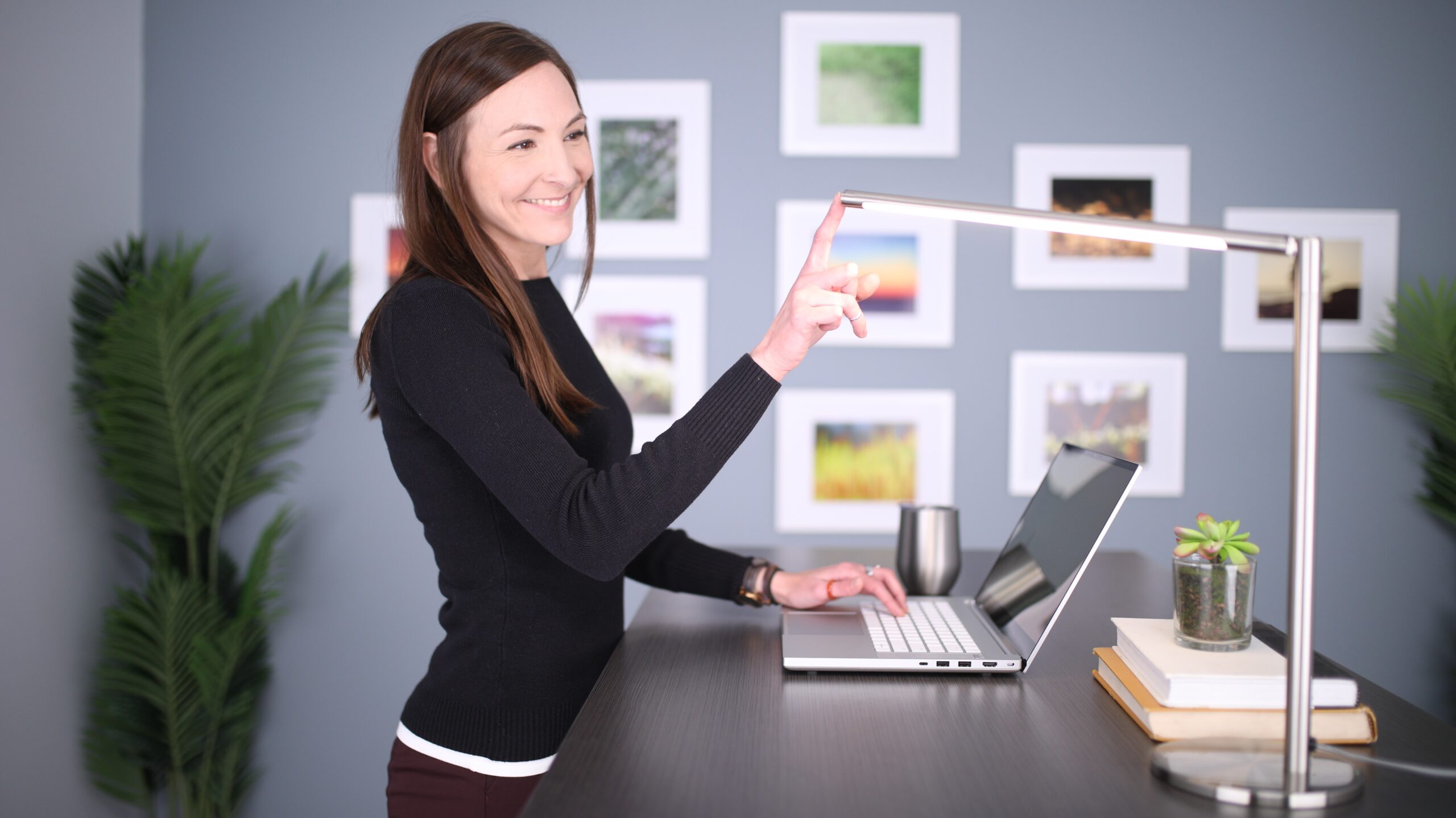
Poor lighting can cause eye strain and make video calls look unprofessional. Natural light is helpful, but it is not always available when you need it. A good desk lamp can make your workspace more comfortable and improve your appearance on calls.
Choose adjustable lighting if possible. This allows you to brighten your workspace for paperwork, soften lighting for video calls, or reduce glare when working at night.
Items to Consider for Office Lighting
Good lighting can make your workspace more comfortable and make you look more professional on video calls. Here are a few items to consider:
- Floor lamp — Helpful if your office area needs more overall room lighting.
- LED desk lamp — A practical choice for everyday work, reading, paperwork, and evening tasks.
- Adjustable task lamp — Lets you direct light where you need it most.
- Monitor light bar — Helps brighten your desk area without taking up extra surface space.
- Ring light — Useful if you take video calls, record tutorials, teach online, or create content.
13. A Clean Video Call Background
You do not need an expensive office makeover, but your background should look intentional. A tidy bookshelf, simple wall, plant, framed print, or neutral curtain can make your video calls feel more polished.
Avoid having laundry, clutter, personal paperwork, or distracting household items behind you. If you do not have a clean background, consider a room divider or simple backdrop.
Items to Consider for Your Video Call Background
Your background does not need to look like a professional studio, but it should look clean, intentional, and not distracting. Here are a few items to consider:
- Video backdrop — Useful if your workspace is in a bedroom, basement, shared room, or cluttered area
- Room divider — A simple way to hide clutter or separate your office from the rest of the room.
- Bookshelf — Creates a professional-looking background and adds useful storage.
- Wall shelves — Helpful for displaying a few simple items without taking up floor space.
- Artificial or low-maintenance office plant — Adds warmth to your background without requiring much upkeep.

What Can Wait
One of the biggest mistakes new entrepreneurs make is trying to create a dream office before the business has steady income. Start with the essentials, then upgrade as your business grows.
These items can usually wait:
| Item | Why It Can Wait |
|---|---|
| Premium standing desk | Helpful, but not essential at launch |
| Expensive office décor | Nice, but does not directly produce revenue |
| High-end printer | Not needed unless printing is central to the business |
| Multiple monitors | Useful, but one extra monitor is enough for most beginners |
| Professional camera | A webcam is enough for most early-stage businesses |
| Luxury chair | Comfort matters, but you can start with a solid mid-range chair |
| Large filing cabinet | Start small unless you handle lots of paper |
The better rule is simple: buy what helps you work, serve customers, make sales, or stay organized. Save the upgrades for later.
Budget Home Office Setup vs. Professional Setup
Your setup should match your stage of business. A brand-new entrepreneur testing an idea does not need the same office as a full-time consultant or ecommerce seller.
Budget Home Office Setup
A budget setup is best if you are just starting, working part time, testing a business idea, or trying to preserve cash.
Budget setup checklist:
| Category | Starter Option |
|---|---|
| Desk | Simple writing desk or existing table |
| Chair | Affordable ergonomic office chair |
| Computer | Existing laptop if reliable |
| Monitor | Optional 24-inch monitor |
| Internet | Existing internet plus extender if needed |
| Calls | Basic webcam or laptop camera |
| Lighting | Adjustable desk lamp |
| Organization | File box, folders, notebook, planner |
| Printing | Delay unless truly needed |
Professional Home Office Setup
A professional setup makes sense if you work full time from home, meet with clients often, manage larger projects, sell products online, or need better systems.
Professional setup checklist:
| Category | Upgraded Option |
|---|---|
| Desk | Larger desk, L-shaped desk, or standing desk |
| Chair | Fully adjustable ergonomic chair |
| Computer | Business-grade laptop or desktop |
| Monitor | Dual monitor setup |
| Internet | Mesh Wi-Fi or Ethernet connection |
| Calls | HD webcam, USB microphone, headset |
| Lighting | Ring light or adjustable video lighting |
| Organization | Filing cabinet, label maker, shelving |
| Printing | All-in-one printer or label printer |
| Backup | External hard drive and cloud storage |
Product Checklist for a New Entrepreneur’s Home Office
Use this checklist to decide what to buy now and what to add later.
| Home Office Item | Priority | Notes |
|---|---|---|
| Desk or work surface | High | Needed for daily work |
| Ergonomic chair | High | Important for comfort |
| Laptop or desktop computer | High | Use existing computer if reliable |
| Reliable internet | High | Essential for online business |
| Laptop stand | Medium | Very useful for laptop users |
| External keyboard and mouse | Medium | Improves comfort |
| Monitor | Medium | Helpful for multitasking |
| Webcam | Medium | High priority if client-facing |
| Microphone or headset | Medium | Important for calls and content |
| Desk lamp | Medium | Improves lighting and focus |
| File folders or file box | Medium | Helps organize business paperwork |
| Notebook or planner | Medium | Useful for goals and planning |
| Printer | Low to medium | Depends on your business |
| Scanner | Low to medium | Useful for paperwork-heavy businesses |
| Label printer | Medium for ecommerce | Useful for shipping |
| Whiteboard | Low to medium | Helpful for planning |
| Cable management tools | Low | Keeps workspace tidy |
| Shelving | Low | Add when storage becomes a problem |
| Room divider/backdrop | Low | Useful for video calls |
Home Office Setup Mistakes to Avoid
Setting up a home office can be exciting, but it is easy to spend money on the wrong things or create a workspace that looks good but does not actually support your business. New entrepreneurs often feel pressure to buy everything at once, especially when they see polished office setups online. But a productive home office should be built around your daily work habits, your business needs, and your budget.
Before you buy more equipment or reorganize your space, watch out for these common home office setup mistakes. Avoiding them can help you save money, stay focused, and create a workspace that truly helps you work better.
Buying Too Much Before You Know Your Workflow
It is tempting to buy everything at once, especially when you are excited about your new business. But your real needs become clearer after a few weeks of work. Start with essentials, then upgrade based on actual problems.
Ignoring Comfort
A poor chair, a bad monitor height, or an awkward keyboard position can make daily work harder. Even a simple ergonomic setup can improve comfort and help you work longer without unnecessary strain.
Setting Up in a High-Distraction Area
A home office does not have to be a separate room, but it should be as distraction-free as possible. Avoid placing your main workspace in the busiest part of the house if you need quiet for calls, writing, planning, or client work.
Mixing Household and Business Paperwork
From the start, keep business records separate from household documents. This helps with taxes, bookkeeping, planning, and professionalism.
Forgetting About Backup and Security
Protect your business files. Use secure passwords, cloud backups, external storage when needed, and basic cybersecurity tools. Losing client files, financial records, or product photos can create serious problems.
Making the Office Pretty but Not Functional
A beautiful office is nice, but function comes first. Prioritize comfort, lighting, organization, and reliable technology before décor.
Home Office Setup Tips by Business Type
The best home office setup depends on the type of business you are starting. A freelance writer does not need the same workspace as an ecommerce seller, and a coach who spends hours on video calls will have different priorities from a handmade business owner who needs space for supplies and packaging.
Instead of copying someone else’s setup, think about the tasks you do most often. Do you need a quiet space for client calls? A packing station for online orders? Better lighting for product photos? More storage for materials? Use the tips below to match your home office setup to the way your business actually operates.
For Freelancers and Consultants
Prioritize a comfortable desk setup, strong internet, a good webcam, clear audio, and a professional video background. Your workspace should help you communicate clearly and meet deadlines.
For Ecommerce Sellers
You may need both an office area and a packing area. Consider shelving, shipping labels, a label printer, storage bins, postage scale, packing tape, and a dedicated order-processing station.
For Handmade Business Owners
You may need separate zones for computer work, making products, storing supplies, photographing items, and packing orders. Good lighting and storage are especially important.
For Coaches and Online Teachers
Invest in video call quality. A webcam, microphone, lighting, and clean background can make your sessions feel more professional.
For Writers, Bloggers, and Content Creators
Comfort and focus matter most. A good chair, monitor, keyboard, microphone, lighting, and planning tools can support long work sessions and content production.
Final Thoughts
Your first home office does not need to be expensive. It needs to help you work consistently, stay organized, communicate professionally, and build momentum.
Start with the basics: a reliable work surface, comfortable chair, dependable computer, strong internet, good lighting, and a simple organization system. Then add tools based on your business model. An ecommerce seller may need a label printer and shipping supplies. A consultant may need better video call equipment. A handmade business owner may need storage bins, photography lighting, and a packing station.
The best home office setup is not the one with the most products. It is the one that helps you do your best work with the least friction.
Frequently Asked Questions
What do I need for a basic home office setup?
A basic home office setup should include a desk or work surface, comfortable chair, reliable computer, strong internet connection, good lighting, and a simple system for organizing paperwork and supplies. If you use a laptop, a laptop stand, external keyboard, and mouse can make your setup more comfortable. You may also need a webcam, microphone, printer, or file storage depending on your business. Start with the tools that directly support your daily work. Avoid buying too many extras before you understand your workflow.
How much should a new entrepreneur spend on a home office?
There is no single right amount because it depends on your business and what you already own. A new entrepreneur can often start with a modest setup by using an existing laptop, a simple desk, an affordable ergonomic chair, and basic organization supplies. Spend first on items that affect your ability to work comfortably and serve customers. You can upgrade later as your business earns revenue. The biggest mistake is spending heavily on décor, luxury furniture, or equipment that does not help you generate income or operate more efficiently.
Is a printer necessary for a home office?
A printer is useful for some businesses but unnecessary for others. If your business is mostly digital, you may be able to wait before buying one. However, if you frequently print contracts, invoices, shipping labels, worksheets, forms, or client materials, an all-in-one printer may be worth it. Ecommerce sellers may benefit more from a thermal label printer than a traditional printer. Before buying, track how often you actually need to print. If printing is rare, you may be able to use a local print shop or shipping center until the need becomes consistent.
What is the most important item in a home office?
For many entrepreneurs, the most important home office item is a comfortable chair because it affects how you feel during long work sessions. However, the answer depends on your business. If you work online, a reliable computer and internet connection may be most important. If you meet clients virtually, a webcam, microphone, and lighting may matter more. If you ship products, storage and packing supplies may be essential. The best approach is to identify the tools that remove friction from your daily work and prioritize those first.
Can I deduct my home office expenses?
Some self-employed business owners may qualify for the home office deduction, but the rules are specific. The IRS generally requires that the space be used regularly and exclusively for business, and it must meet requirements such as being your principal place of business. The IRS also offers a simplified option based on square footage, subject to limits. Because tax rules can vary by situation, new entrepreneurs should review IRS guidance or consult a tax professional before claiming deductions.
