

When I started working from home more than two decades ago, my “office” was a tiny corner of our dining table. I had an old desktop computer, a dial-up connection that screamed every time it connected to the internet, and stacks of papers I shuffled around during mealtimes. It wasn’t ideal, but it was the beginning of my journey into home-based entrepreneurship — and eventually, the birth of PowerHomeBiz.com.
Over the years, I’ve learned that your work-from-home set-up isn’t just about furniture or internet speed. It’s about creating a space and a routine that helps you focus, stay productive, and feel good doing it. Whether you’re freelancing, running a full-blown home business, or telecommuting for a company, having the right setup can make or break your success.
Table of Contents

1. The Importance of a Dedicated Workspace
Let’s start with the basics: location.
It’s tempting to work from the couch or your bed — especially when you’re starting out. But here’s the truth I learned the hard way: without a dedicated space, boundaries blur. Productivity dips. Work and rest become one murky experience.
Your goal? Designate a spot that tells your brain, “this is where work happens.” It doesn’t need to be a full room — a desk in a quiet corner can work wonders. Add a screen or curtain for separation if needed. Just make sure it’s your space.
In my early days, once I finally converted our spare bedroom into an office, my productivity and mindset shifted drastically. I wasn’t just “working from home.” I was running a business.
2. Ergonomics: Invest in Your Comfort and Health
When we think about working from home, we often focus on tools, schedules, and productivity hacks. But one of the most critical — and often overlooked — aspects of long-term success is physical comfort. Because here’s the truth: sitting for hours on end, day after day, can take a serious toll on your body.
That lingering backache, stiff neck, sore wrists, or fatigue? It’s not just a side effect of getting older or working harder — it’s your body crying out for better ergonomics.
When I first started working from home, I used whatever was available — a folding chair, a small table, and a laptop I hunched over for hours. At the time, I didn’t think twice about it. But after months of discomfort and constant tension in my shoulders and lower back, I knew something had to change.
Ergonomics is about designing your workspace to fit you — not the other way around. It’s about supporting your body, reducing strain, and allowing you to work efficiently without injury or exhaustion. The more comfortable and supported you feel physically, the more energy and focus you’ll have to bring to your work.
Here’s what I recommend investing in:
- Ergonomic Chair: A well-designed chair is the most important piece of furniture in your home office. Look for one that offers lumbar support, adjustable armrests, and seat height. I personally splurged on a Herman Miller chair after years of using a kitchen chair — and I’ll never go back. That investment has paid off tenfold in reduced back pain and improved posture.
- Adjustable Desk: If your budget allows, consider a sit-stand desk. Being able to alternate between sitting and standing during the day helps with circulation, reduces fatigue, and keeps your energy levels up. Even a simple riser on your existing desk can help you create a makeshift standing setup when needed.
- External Keyboard and Monitor: If you’re working primarily on a laptop, don’t settle for the default setup. Elevate your laptop to eye level using a stand or a stack of books, and use an external keyboard and mouse. This reduces strain on your neck and wrists and encourages better alignment while typing.
- Footrest or Anti-Fatigue Mat: Small details like foot positioning can make a big difference in comfort. A footrest can help maintain proper leg alignment while sitting, and a cushioned mat can ease the pressure on your feet if you spend time standing.
- Monitor Glare Filters and Proper Lighting: Eye strain is another common issue. Position your screen to reduce glare from windows or overhead lights, and use a glare-reducing filter or matte screen protector if necessary.
- Posture Reminders and Movement Breaks: Even with a perfect ergonomic setup, sitting still for too long isn’t ideal. Use a smartwatch or productivity app to remind you to stand, stretch, or take a quick walk every hour. These micro-breaks support your spine, refresh your mind, and improve circulation.
Think of ergonomic upgrades not as luxury items, but as essential investments in your long-term health and productivity. After all, your body is your most valuable asset — and you need it to feel good and function well in order to build your best work-from-home life.
So listen to your body. If you find yourself shifting in your seat constantly, rubbing your shoulders, or feeling tension build up — those are signs it’s time to optimize your space. Comfort isn’t a luxury in remote work — it’s a foundation for success.
3. Technology That Powers Your Work
Your tech setup is the engine of your home office. You don’t need the latest gadgets, but you do need reliable, functional tools that suit your work.
At minimum, make sure you have:
- Reliable Internet: A high-speed, stable connection is essential. If you’re on video calls often, invest in a mesh Wi-Fi system for strong coverage.
- Computer That Meets Your Needs: Whether it’s a powerful desktop or a lightweight laptop, it should run your essential programs smoothly.
- Headphones with Mic: Great for Zoom calls, focus, and avoiding distractions.
- Backup System: External drives or cloud storage (like Google Drive, Dropbox, or OneDrive) to ensure your work is always safe.
When our website traffic grew, I realized I needed to upgrade from a basic laptop to a high-performance desktop with dual monitors. That switch saved me hours every week in multitasking and content creation.
4. Lighting and Ambience
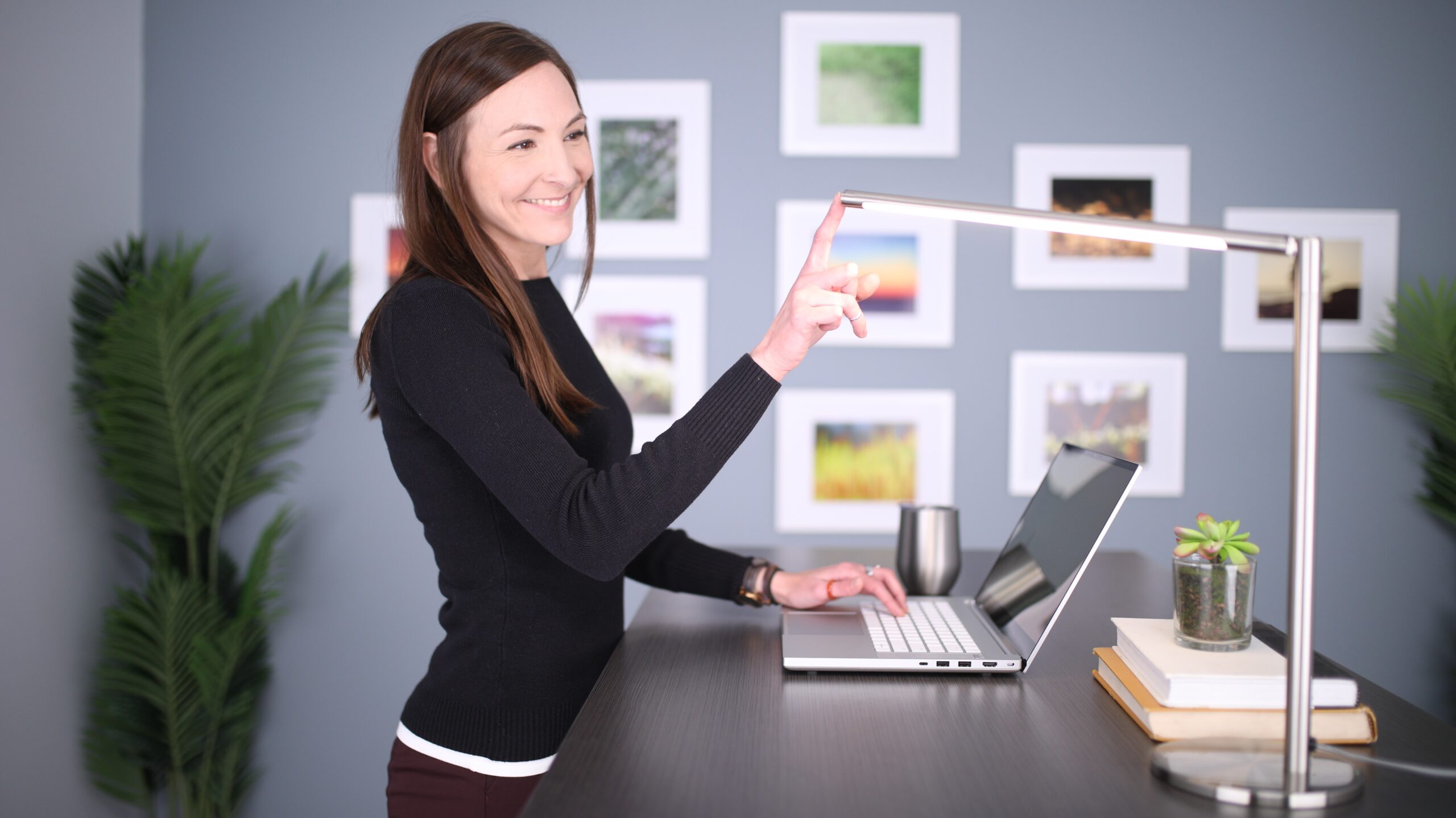
Lighting affects not only how your space looks but also how you feel and perform. It’s one of the most overlooked aspects of a home office, yet it plays a crucial role in energy levels, focus, and even your mood.
Think about it: how often have you felt drained under harsh fluorescent lights or struggled to concentrate in a dim, shadowy room? I’ve experienced both — and I can tell you, lighting makes a world of difference in how enjoyable and effective your work-from-home day can be.
Natural light is by far the best option. It boosts mood, reduces eye strain, and helps regulate your body’s natural circadian rhythm, which in turn improves focus and sleep quality. If possible, position your desk near a window where you can soak in some daylight. Even a small window with indirect light can create a more vibrant and energizing workspace.
But of course, not everyone has the luxury of a window-filled home office — especially if you’re working out of a basement, spare room, or converted closet like I did during my early years. That’s where smart lighting choices come into play.
Here’s how I like to layer lighting to create both function and atmosphere:
- Task Lighting: An adjustable desk lamp with a warm white bulb can make a huge difference, especially during evening hours or on cloudy days. I love lamps with dimmer switches so I can control brightness based on the time of day or the task I’m doing.
- Soft Ambient Lighting: Overhead lights can feel harsh. I like to complement them with floor or table lamps that provide a softer glow — perfect for early mornings when I’m easing into the day or late nights when I’m writing.
- LED Bulbs That Mimic Daylight: These are great for rooms without natural light. Look for bulbs with a color temperature of around 5000K for a bright, clear tone that’s energizing but not too clinical.
- Decorative Accents: Lighting isn’t just about functionality — it’s also about how the space makes you feel. String lights, Himalayan salt lamps, or candles (real or LED) can add a cozy, inspiring vibe that makes your workspace feel like your own.
And don’t forget about nature. A small plant or two — even something low-maintenance like a pothos or a snake plant — can do wonders. I remember placing a snake plant beside my desk during a particularly stressful month. That tiny touch of green made my workspace feel less sterile — and somehow, it made long work hours more bearable. It grounded me, gave me something living to care for, and subtly reminded me to breathe.
Tip: Try to avoid placing your screen directly in front of or behind a window — glare can be a real headache (literally). Use blinds or sheer curtains to soften natural light, and experiment with the placement of lamps to reduce eye strain.
Your lighting setup should evolve with the seasons, your schedule, and your preferences. The right balance of brightness, warmth, and personal touches can turn your workspace into a place you want to be — not just where you have to be.
5. Decluttering and Organization: A Clear Desk, A Clear Mind
Clutter is the silent killer of productivity.
It creeps in slowly — a few papers here, an empty coffee cup there, tangled cords behind your monitor — until one day you look around and wonder how you’re supposed to focus in the middle of the chaos. I’ve been there more times than I care to admit. When your workspace is cluttered, your brain feels cluttered too.
Working from home makes it even more important to stay organized. Unlike an office setting where maintenance teams clean up after hours, the responsibility to keep things in order falls entirely on you. And if your workspace doubles as your dining table or guest bedroom, organization isn’t just a productivity tool — it’s a survival skill.
Here are some simple, effective ways to stay on top of your space:
- Filing Cabinets or Drawers: Keep documents neatly stored and out of sight. If you’re tight on space, use portable file boxes that can slide under a desk or into a closet.
- Wall-Mounted Shelves: These are great for small home offices. They give you vertical storage without taking up floor space, perfect for books, plants, or supplies.
- Cable Organizers: A tangle of cords can instantly make a workspace look messy. Use clips, sleeves, or zip ties to keep everything streamlined.
- Desk Trays and Catch-Alls: Designate trays or containers for pens, paperclips, sticky notes, and other small items. When everything has a “home,” it’s easier to keep things tidy.
In my own home office, I’ve found that routine maintenance is key. Every Friday before I log off for the weekend, I spend just 15 minutes doing a reset. I file loose papers, wind up cables, clear any clutter that crept in during the week, and give my desk a quick wipe-down. It may seem small, but that weekly ritual helps me start Monday with a clean slate — physically and mentally.
Also, don’t forget your digital workspace. A cluttered desktop or disorganized file system on your computer can slow you down just as much as physical mess. Set aside time each month to sort, archive, and delete unnecessary files.
Decluttering isn’t about being perfectly minimalist — it’s about creating a space that supports clarity, focus, and flow. When everything has its place, your mind is free to do what it does best: think creatively, solve problems, and get things done.

6. Routine and Boundaries
Your physical setup is only part of the equation. Equally important — and often more challenging — is how you structure your time and protect your boundaries.
When I first transitioned to working from home, I thought ditching the 9-to-5 meant I had complete freedom. And while the flexibility was liberating at first, it quickly became chaotic. I found myself answering emails at midnight, skipping meals to finish tasks, and blending my personal and professional life until I couldn’t tell where one ended and the other began.
That’s when I realized that freedom needs structure.
I swear by these habits:
- Set working hours: Create a schedule and stick to it. Share it with your family or roommates.
- Dress for work: Even if it’s just a clean shirt and jeans. It signals a mental shift.
- Take breaks: Use tools like the Pomodoro technique or a simple timer to step away every hour.
Establishing a daily routine — even a flexible one — can dramatically improve your focus, reduce stress, and create a clear distinction between “work mode” and “home mode.” Start your day with a consistent morning ritual, whether that’s brewing coffee, doing a quick meditation, or reviewing your to-do list. Block out dedicated work hours on your calendar, and just as importantly, set a hard stop time at the end of your day.
Boundaries matter, not only for your productivity but also for your mental health and relationships. Let your family or housemates know your working hours. Close your office door or use headphones as a physical signal. Turn off notifications after hours. Don’t feel guilty about saying no to non-work commitments during your focus time.
And here’s a tip that took me years to embrace: schedule your breaks. Get up, stretch, eat lunch away from your desk, or take a short walk. These moments of pause can reset your mind and make the rest of your workday more productive.
Working from home can be empowering — but only if you’re intentional with your time. Creating routines and protecting your boundaries ensures that your home doesn’t just become your office, but remains a place of balance and wellbeing, too.
7. Tools and Apps That Keep You Productive
There’s an app for everything these days — from time tracking to task management to blocking distractions — but the real challenge is cutting through the noise and finding the tools that actually enhance your workflow without overwhelming you. The goal isn’t to use the flashiest or most complex platforms, but to build a simple, reliable tech stack that supports your daily routines, keeps you organized, and helps you stay focused on what truly matters.
Here are some of my tried-and-tested favorites:
- Trello or Asana: Great for managing tasks and projects
- Google Workspace: Docs, Sheets, Calendar — everything in one ecosystem
- Slack or Microsoft Teams: Essential if you’re collaborating with others
- RescueTime or Focus Booster: Track where your time goes
I’ve found that using Google Calendar to block work hours, break times, and even personal time makes my days more intentional and less chaotic.
8. Sound Management: The Gift of Focus
Depending on your environment, noise can be your biggest distraction — or your secret weapon for deep focus and creative flow.
When I first started working from home, I didn’t think much about sound. I figured as long as I had a quiet space, I’d be fine. But I quickly learned that sound — or the absence of it — has a powerful effect on productivity. The barking dog next door, the hum of the dishwasher, the constant ping of phone notifications — all of it chipped away at my focus until I found myself feeling drained by midday.
Managing your audio environment is one of the most overlooked aspects of a good home office setup, but it can make a huge difference in how well you concentrate and how long you stay in the zone.
Start by identifying your sound triggers. Do you work best in complete silence? Or do you need background noise to concentrate? Some people thrive with ambient sounds, soft music, or nature soundscapes. Others need white noise to drown out household distractions. I personally love instrumental lo-fi playlists or classical piano — they keep my mind engaged without pulling my attention away from the task at hand.
Here are a few sound management strategies that have worked for me and other home-based professionals:
- Noise-Canceling Headphones: These are a game changer, especially if you live in a noisy household or near a busy street. A good pair can create a bubble of calm that helps you stay focused for hours.
- White Noise Machines or Apps: Tools like Noisli, Brain.fm, or even a simple YouTube video with rain or forest sounds can help block out disruptive background noise.
- Sound Zones: If you share your home with others, try creating “quiet zones” and “loud zones,” or use a sign or light indicator outside your workspace to let others know when you’re in focus mode.
- Custom Playlists: Build go-to playlists for different types of work — deep focus, light admin, creative brainstorming. Music without lyrics usually works best when you’re writing or reading.
Don’t underestimate how powerful sound can be in shaping your productivity. Whether it’s silence, rhythm, or ambient tones, find the soundscape that helps you drop into flow — and protect it as part of your work-from-home routine.
9. Personalize It — Make It Yours
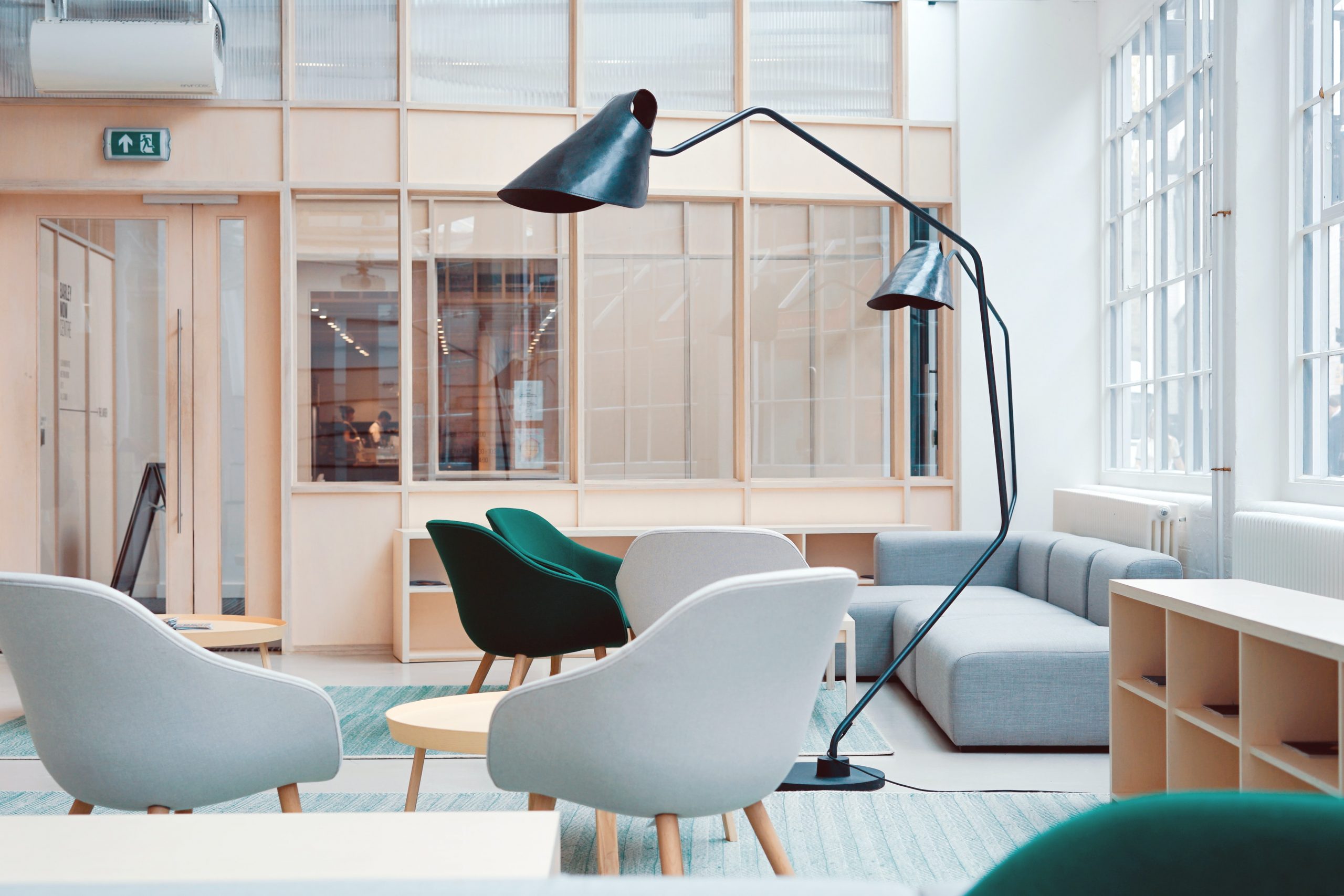
Your home office should reflect you. It’s not just a place to work — it’s a space where ideas are born, challenges are tackled, and dreams take shape. That’s why it’s so important to create a setup that feels both functional and personally inspiring.
One of the best parts of working from home is that you’re not bound by sterile cubicles or generic office decor. You have the freedom to create a space that sparks creativity, brings comfort, and reminds you of your why — the reason you started your business, your job, or your work-from-home journey in the first place.
Personalizing your workspace doesn’t mean going overboard or creating visual clutter. It’s about weaving in small, meaningful touches that make you feel at home and energized. Some ideas:
- A Favorite Mug: Something simple, but powerful. A favorite coffee or tea mug can become a comforting ritual. I have one with a quote that says, “Dream big. Start small. Act now.” I reach for it every morning — it grounds me and reminds me that each small step matters.
- Inspirational Quotes or Affirmations: Frame quotes that motivate you or write affirmations on sticky notes and stick them to your monitor. Words have power — and seeing a positive message every day can shift your mindset.
- Photo Wall or Vision Board: Decorate a portion of your wall with photos of loved ones, snapshots from vacations, or a vision board of your goals and dreams. It’s a great way to stay connected to what matters and to visualize the life you’re building.
- Textures and Comforts: Add a cozy throw over your chair, a plush rug underfoot, or a candle with a scent you love. These small touches can make long hours at your desk feel less like a grind and more like a creative retreat.
- Personal Mementos: Maybe it’s a souvenir from a past trip, a small plant gifted by a friend, or a handmade pen holder from your child — whatever has meaning to you, bring it into your space.
In my own office, I have a small corkboard filled with handwritten notes and emails from the early days of PowerHomeBiz. Some of them are thank-you messages from readers who found guidance through our articles. Others are feedback that helped me improve. I’ve kept them all — not because they’re perfectly written or beautifully designed, but because they remind me why I started this journey. On tough days, when motivation dips or the to-do list feels never-ending, I glance at that board and feel re-centered. It’s a quiet, persistent reminder that this work matters.
Personalization is more than decor — it’s about making your space yours. When your home office reflects your personality, values, and aspirations, it becomes a place that supports your energy and creativity, not just your productivity.
So don’t be afraid to bring yourself into the space. The more connected you feel to your environment, the more empowered you’ll be to do your best work.
10. Flexibility is Key: Your Setup Will Evolve
What worked last year — or even last month — may not work today. And that’s okay.
One of the greatest advantages of working from home is the ability to adapt your workspace to your lifestyle, your business goals, and your personal growth. Your work-from-home setup is not a one-and-done project. It’s a living, breathing environment that should change with you — and embracing that flexibility can make all the difference in your productivity and satisfaction.
Think of your home office as a reflection of your current priorities. Maybe when you started out, all you needed was a laptop and a quiet corner of the kitchen table. But as your workload grew, so did your need for storage, organization, or better lighting. Maybe you took on new projects, started a podcast, added team members remotely, or shifted from freelance gigs to building a brand. Every stage of growth calls for a space that supports where you are — and where you’re going.
I’ve experienced this evolution firsthand. I started with a small desk wedged between our dining room and living area — not ideal, but it worked for a while. As PowerHomeBiz grew, I added a bookshelf, then a filing cabinet, then upgraded to a full office setup in our spare room. Eventually, I even converted a walk-in closet into a makeshift podcasting nook, complete with soundproofing panels and adjustable lighting. That flexibility allowed me to take on new projects without needing to rent expensive co-working space or leave home.
Here’s the key: don’t be afraid to reassess and rearrange. What feels perfect today may become limiting tomorrow. Regularly check in with yourself and ask:
- Am I still comfortable and focused in this setup?
- Is my space helping me meet my current goals?
- Are there new tools, habits, or workflows that need space to grow?
- Is there clutter or friction that’s slowing me down?
Even small changes — like repositioning your desk for better lighting, swapping out a chair, or reconfiguring your tech — can reignite your motivation and reduce friction in your day-to-day tasks.
And don’t forget: flexibility also means allowing for creative shifts. Maybe you need a standing desk setup one month and a quiet reading corner the next. Maybe you want to rotate your decor to reflect the seasons or your mood. The more your space aligns with your energy and workflow, the more empowered you’ll feel to do your best work.
In the end, a flexible mindset is one of the most valuable assets a remote worker or entrepreneur can have. Your business will grow, your needs will shift, and your environment should grow with you — not hold you back. So give yourself permission to experiment, tweak, and reinvent your setup whenever inspiration (or necessity) strikes.
Final Thoughts: Build a Space That Supports Your Dreams
Working from home is both a privilege and a challenge. It demands discipline, creativity, and adaptability. But when done right, it opens up a world of freedom, balance, and fulfillment.
Your home office isn’t just a room. It’s the launchpad for your dreams.
Take the time to set it up right — for your body, your mind, and your business. I’ve spent over 20 years building and evolving mine. And I can tell you from experience: when your workspace works for you, success becomes that much more achievable.
