

Key Takeaways
- Refurbished doesn’t mean junk – Many devices are returned for trivial reasons and are professionally reconditioned.
- Savings can be huge – You can get excellent products for 20–50% less than new.
- Buy from trusted sellers – Manufacturers or certified retailers are your safest bet.
- Check what’s included – Ensure you’re not missing key accessories or warranty coverage.
- Do your research – Know the product, the seller, and what protections you have if something goes wrong.
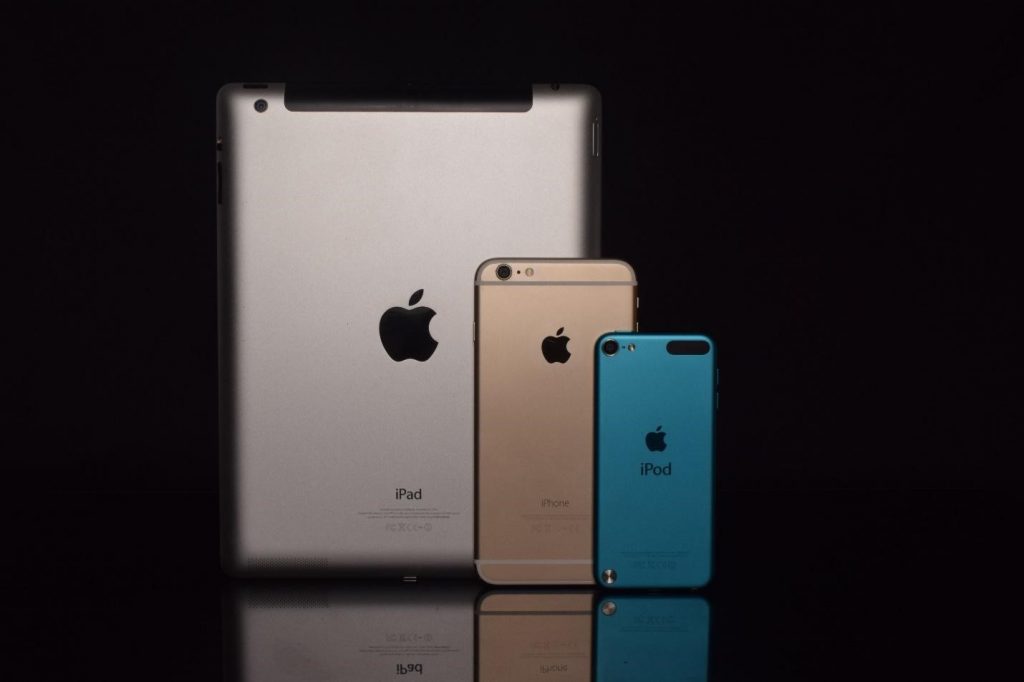
Table of Contents
Let’s say you’re shopping for a new phone or laptop, such as the sleek MacBook Pro or the latest iPhone. But then you see the price tag: $1,200. That’s far from budget-friendly. So, what do you do? You start hunting for deals, and you come across a refurbished version of the same device for hundreds less. Sounds tempting, but is it safe? Is it worth it?
Many people hesitate at the thought of buying refurbished electronics. It feels risky. The fear is real: what if it breaks in a week? What if there’s no warranty? What if you just threw your hard-earned money away?
But here’s the truth—buying refurbished electronics can be a smart, money-saving decision if you know what to look for and where to shop. In this article, we’ll break down what “refurbished” actually means, how it compares to buying new, what to look for, and how to protect yourself in the process.

1. What Does “Refurbished” Mean for Electronics?
The term “refurbished” can mean different things depending on the seller. But generally, refurbished electronics are products that have been returned by customers for any number of reasons—maybe it had a small defect, maybe they changed their minds, or maybe it was a demo unit used for display.
Once returned, the product is inspected, repaired if necessary, cleaned, and repackaged for resale. Refurbished does not always mean “used” in the traditional sense. In fact, many refurbished products have barely been touched or were never defective to begin with. For example:
- A customer buys a laptop, opens it, and returns it the next day. That laptop is now “refurbished.”
- A phone with a scratched screen is sent back, gets a brand-new screen, and is resold.
- A factory demonstration unit is retired and reconditioned for sale.
Unlike buying a used product directly from another individual, refurbished products are usually tested and certified by either the manufacturer or a reputable third-party vendor. This dramatically lowers the risk of buying a defective or poorly functioning device.
2. Refurbished vs. New: What’s the Difference?
The biggest and most obvious difference is price. Refurbished devices often cost 20%–50% less than brand-new versions of the same item. That’s a massive savings, especially for big-ticket items like laptops, tablets, or smartphones.
But aside from the price, here are some key differences:
| Feature | New | Refurbished |
|---|---|---|
| Condition | Factory-fresh | Reconditioned, may have minor cosmetic imperfections |
| Packaging | Original and sealed | May be in plain or different packaging |
| Warranty | Full warranty (1 year or more) | Limited warranty (30 days to 1 year) |
| Availability | Latest models | Older models or discontinued items |
| Price | Full MSRP | Discounted (often heavily) |
Buying refurbished also allows you to purchase models that may no longer be sold new. If you’re not chasing the latest release, this could be a great opportunity.

3. Stick to Reputable Sellers
Here’s the golden rule of buying refurbished electronics: stick with sellers you can trust. That means either the original manufacturer or well-established retailers that offer guarantees, customer service, and return policies.
Some trusted options include:
- Apple Certified Refurbished Store
- Dell Outlet
- Best Buy Outlet
- Amazon Renewed
- Back Market (with clear conditions and warranties)
These sellers usually include a certification process, warranty, and thorough testing. For example, Apple’s refurbished products go through full diagnostic tests, get genuine Apple parts if needed, and come with a one-year warranty, just like new.
Avoid sketchy marketplaces or deals that seem too good to be true. If a refurbished MacBook is going for $250, you’re probably buying trouble.
4. Check What’s Included in the Box
One downside to refurbished products is that they may not come with all the accessories you’d expect from a new item. You might not get the original charger, headphones, manuals, or even the original box.
Before you buy, read the product description carefully. Look for:
- Whether accessories are included (e.g., charger, stylus, keyboard)
- If it comes in original packaging or generic
- Any cosmetic wear-and-tear notes
And while headphones may be excluded for hygiene reasons, essentials like a power adapter should always be included or clearly mentioned.
5. Always Do Your Homework
Doing your research is essential. Before you hit “buy,” check these three things:
a. Research the Product
Know the common issues with the model you’re buying. Look up product reviews and see what long-term users say. If a certain model is known for battery failures or overheating, you’ll want to test for that right away once it arrives.
b. Compare Prices
Make sure the savings are worth it. Sometimes, the price difference between refurbished and new is so small that you’re better off buying new. Also, check whether accessories and warranty are included—those could easily add up.
c. Understand the Warranty
The best refurbished deals come with some sort of warranty—ideally 90 days or more. Manufacturer warranties are always preferable to third-party options. If there’s an option to purchase extended coverage, consider it if you’re buying an expensive device.

FAQ: Buying Refurbished Electronics
What does “refurbished” mean for electronics?
Refurbished electronics are devices that were returned to the seller for any number of reasons—perhaps due to a minor defect, buyer’s remorse, or being used as a demo unit. These devices are then inspected, repaired if necessary, cleaned, and tested before being resold. While they are technically “used,” they’ve often undergone rigorous quality control to ensure they work like new. Many refurbished items are indistinguishable from new ones in terms of performance, though they might have minor cosmetic blemishes or ship in non-original packaging.
Are refurbished electronics safe to buy?
Yes, as long as you buy from a reputable seller. Manufacturer-refurbished or certified refurbished products often go through stringent testing and include a warranty. Avoid unknown sellers or deeply discounted deals from shady websites, as these may offer no customer support or return policy. Always read reviews and make sure there’s a return option in case something goes wrong.
Will I get a warranty with a refurbished product?
Not always, but many certified refurbished products come with a warranty—typically 30 to 90 days, and sometimes up to one year. Apple, for instance, offers a full one-year warranty on its refurbished devices. If warranty coverage is not included, see if you can purchase an extended plan for peace of mind. Always read the fine print.
Can I return a refurbished product if something goes wrong?
That depends on the seller’s return policy. Most reputable vendors, including Amazon Renewed and Best Buy Outlet, allow returns within 30 days. Manufacturer websites usually have the most generous policies. Be sure to test the product thoroughly as soon as it arrives so you can report any issues within the return window.
Is there a difference between “refurbished,” “used,” and “open-box”?
Yes. “Used” usually means sold by a private seller or third party with no repairs or testing. “Open-box” refers to products that were opened but not necessarily used—like display units or returns. “Refurbished” items have been tested, repaired, and cleaned, and are often backed by a warranty. Refurbished is the safest choice of the three if you’re looking for a quality product at a lower price.
Final Thoughts
Buying refurbished electronics doesn’t have to be a gamble. In fact, it can be one of the smartest ways to score high-end tech at a fraction of the price—if you know what you’re doing. By sticking to certified sellers, understanding what “refurbished” truly means, and doing your homework on the product, you can save hundreds without compromising quality.
So next time you’re eyeing that pricey phone, tablet, or laptop—pause before you splurge. A refurbished version might just be the smarter buy.
This article was originally published on October 13, 2020, and updated on July 5, 2025.
