

Want your products to look more professional without spending a fortune? Learn practical, low-cost ways to showcase products and create stronger displays, better product photos, and more persuasive merchandising for your small business.
Key Takeaways
- Product showcasing is about clarity and trust—not spending.
- Fix lighting, layout, and messaging before buying new materials.
- Demonstrating product use is more effective than decoration.
- Social proof and signage significantly influence buying decisions.
- Reusable display systems reduce cost and improve consistency.
Small business owners often assume that great product presentation requires a large budget—professional lighting setups, custom fixtures, expensive props, and frequent redesigns. That assumption holds many businesses back from improving how they present what they sell.
In reality, the opposite is often true.
Customers are not judging your business based on how much you spent on your display. They are evaluating how clearly they can understand your product, how confident they feel about its quality, and how easy it is to imagine using it in their own lives.
That distinction matters.
According to research from the Baymard Institute, product presentation is still one of the weakest areas in ecommerce, with many sites failing to provide sufficient visuals, context, or clarity for users to evaluate products effectively. That creates a competitive advantage for small businesses that get the fundamentals right—even without large budgets.
This guide breaks down product showcasing into a practical system you can apply across ecommerce, social media, retail spaces, and pop-ups—without overspending.
Table of Contents

The Product Showcase Framework: What Actually Drives Sales
Most small businesses approach product displays by asking, “What will make this look better?”
A more effective question is: “What will make this easier to understand, trust, and buy?”
Table 1. Why Product Displays Fail (and What to Fix)
Before investing in display materials, focus on what your current setup may be missing. Most weak product displays fail in predictable ways.
| Problem | What It Looks Like | Why It Hurts Sales | Low-Cost Fix |
|---|---|---|---|
| Lack of clarity | Cluttered or busy layouts | Customers cannot identify product quickly | Simplify background and spacing |
| Low perceived quality | Poor lighting or inconsistent visuals | Reduces trust and perceived value | Use natural light and consistent styling |
| No context | Product shown in isolation | Hard for customers to imagine usage | Add lifestyle or use-case elements |
| Weak messaging | Price-only signage | No reason to choose your product | Add benefit-driven descriptions |
| No proof | No reviews or social signals | Customers hesitate to trust | Add testimonials or “best seller” tags |
That shift in thinking is what separates displays that look nice from displays that actually generate revenue.
Instead of focusing on decoration, successful product showcasing is built around four core drivers: clarity, credibility, context, and conversion. These are not design trends—they are decision-making triggers that influence whether a customer moves forward or walks away.
1. Clarity: Can Customers Instantly Understand the Product?
Clarity is the foundation of every effective display. If a customer cannot quickly identify what the product is, what it does, or who it is for, they will not spend time figuring it out.
This is especially important in:
- crowded retail environments
- fast-scrolling social media feeds
- ecommerce listings with competing options
Clarity comes from:
- clean layouts (no visual clutter)
- strong product visibility (good lighting, clear angles)
- simple organization (grouping similar items together)
- concise labeling (name + purpose)
A good rule of thumb: a customer should understand your product within 3–5 seconds of seeing it. If not, the display needs simplification.
2. Credibility: Does the Product Feel Trustworthy?
Once a customer understands what the product is, the next question is whether they trust it enough to consider buying.
Credibility is not just about branding—it is about reducing perceived risk.
Customers are subconsciously asking:
- Is this high quality?
- Is this business legitimate?
- Have other people had a good experience?
You can build credibility without spending heavily by:
- maintaining consistent visuals (colors, style, presentation)
- using clean, well-lit images instead of dark or inconsistent ones
- adding social proof (reviews, testimonials, “best seller” tags)
- presenting products in an organized, intentional way
Even small details—like straight labels, aligned items, or consistent packaging—signal professionalism. In contrast, messy or inconsistent displays can create doubt, even if the product itself is excellent.
3. Context: Can Customers See How It Fits Into Their Life?
A product shown in isolation forces the customer to do extra mental work. They have to imagine how it is used, where it fits, and why it matters.
Most people will not do that work.
Context solves this problem by showing the product in action or within a relatable setting.
Examples include:
- a planner shown on a desk with a daily routine setup
- skincare displayed as part of a morning or evening routine
- kitchen tools presented alongside prepared ingredients
- home decor styled within a room-like environment
Context does two powerful things:
- It reduces uncertainty by showing how the product is used
- It increases desire by helping customers picture ownership
This is why lifestyle images and use-case displays consistently outperform plain product shots.
4. Conversion: Is There a Clear Reason to Buy Now?
Even if a product is clear, credible, and well-contextualized, a customer still needs a final push to act.
Conversion-focused displays answer the question: “Why should I buy this right now?”
This can be achieved through:
- benefit-driven messaging (what problem it solves)
- urgency cues (limited stock, seasonal relevance)
- positioning (highlighting best sellers or top picks)
- pricing clarity (easy-to-understand value)
For example:
- “Customer Favorite” signals social validation
- “Limited Batch” creates urgency
- “Perfect for Busy Mornings” highlights a use-case benefit
Without this layer, a display may attract attention but fail to convert interest into sales.
Product Showcase Framework: The 4 Drivers of Sales
Can customers instantly understand what the product is?
→ Clean layout, strong visuals, simple labeling
Does the product feel trustworthy and high-quality?
→ Consistent branding, lighting, social proof
Can customers see how it fits into their life?
→ Lifestyle setups, use-case displays
Is there a clear reason to buy now?
→ Benefits, urgency, best-seller positioning
Clarity → Credibility → Context → Conversion → Sales

✔️ Quick Audit: Is Your Product Display Ready to Sell?
Before moving on, take 30 seconds to evaluate your current setup:
- Can a customer understand your product within 5 seconds?
- Does your display look clean, consistent, and professional?
- Are you showing how the product is used, not just the product itself?
- Is there any form of social proof (reviews, “best seller,” testimonials)?
- Does your signage explain a benefit—not just the price?
- Are your top products clearly highlighted?
👉 If you answered “no” to even 2–3 of these, your display is likely losing sales—and improving it does not require a bigger budget, just better structure.
Table 2: Before vs After – What Actually Improves Product Displays
Most product displays do not fail because of budget—they fail because of execution. Small changes in structure and messaging can dramatically improve how customers respond.
| Element | Before (What Most Small Businesses Do) | After (What Actually Converts) |
|---|---|---|
| Layout | Flat, cluttered table | Layered display with height and spacing |
| Lighting | Dim, inconsistent lighting | Bright, natural light with clear visibility |
| Background | Busy or distracting | Clean, neutral background |
| Messaging | Price-only signage | Benefit-driven messaging |
| Product Focus | Everything treated equally | Best sellers highlighted first |
| Context | Product shown alone | Product shown in use (lifestyle setup) |
| Social Proof | None included | Reviews, testimonials, “customer favorite” tags |
| Branding | Mixed styles and colors | Consistent look across all elements |
| Customer Experience | Passive browsing | Guided, easy-to-understand flow |
Most of these “after” improvements cost little to nothing—they require clearer thinking, not bigger spending.
Step 1: Fix Your Visual Foundation First
Before adding anything new, improve what you already have.
Most product displays underperform because of three basic issues:
- poor lighting
- cluttered presentation
- inconsistent styling
These are not budget problems—they are execution problems.
For ecommerce and social media, positioning your product near a window can dramatically improve image quality. Clean, neutral backgrounds help eliminate distractions and make products easier to evaluate.
The U.S. Small Business Administration emphasizes that even simple ecommerce setups can be effective when product content is clear and easy to understand. You do not need advanced tools to compete—you need better presentation fundamentals.

Step 2: Structure Your Display Like a Store, Not a Table
A common mistake in product showcasing is treating the display as a flat surface instead of a structured experience.
Whether online or in-person, customers scan visually in layers:
- top (attention grabbers)
- middle (core products)
- bottom (supporting items)
Instead of placing everything at the same level:
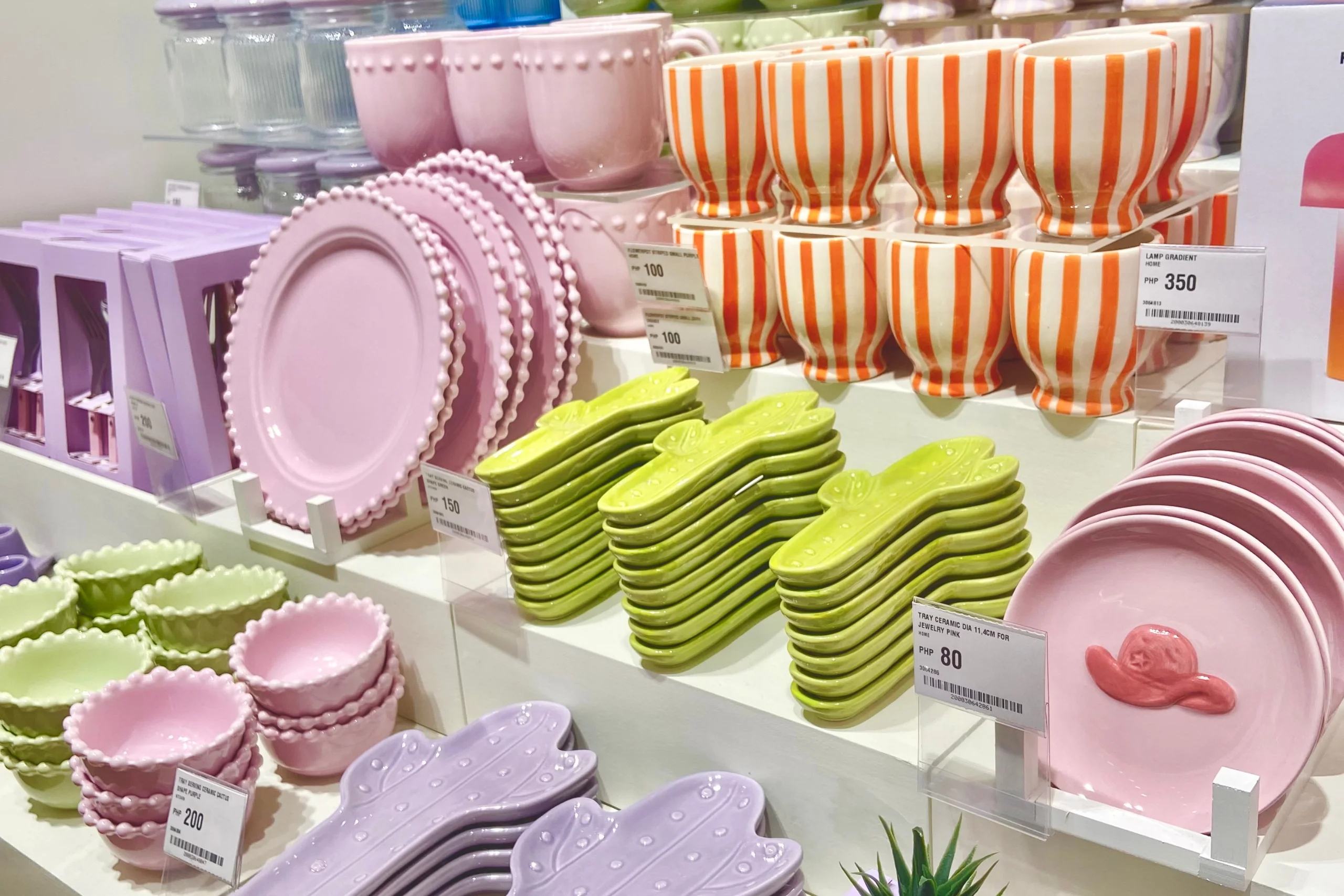
- use boxes, risers, or stacked items to create height
- group products by category or use
- guide the eye from one item to another
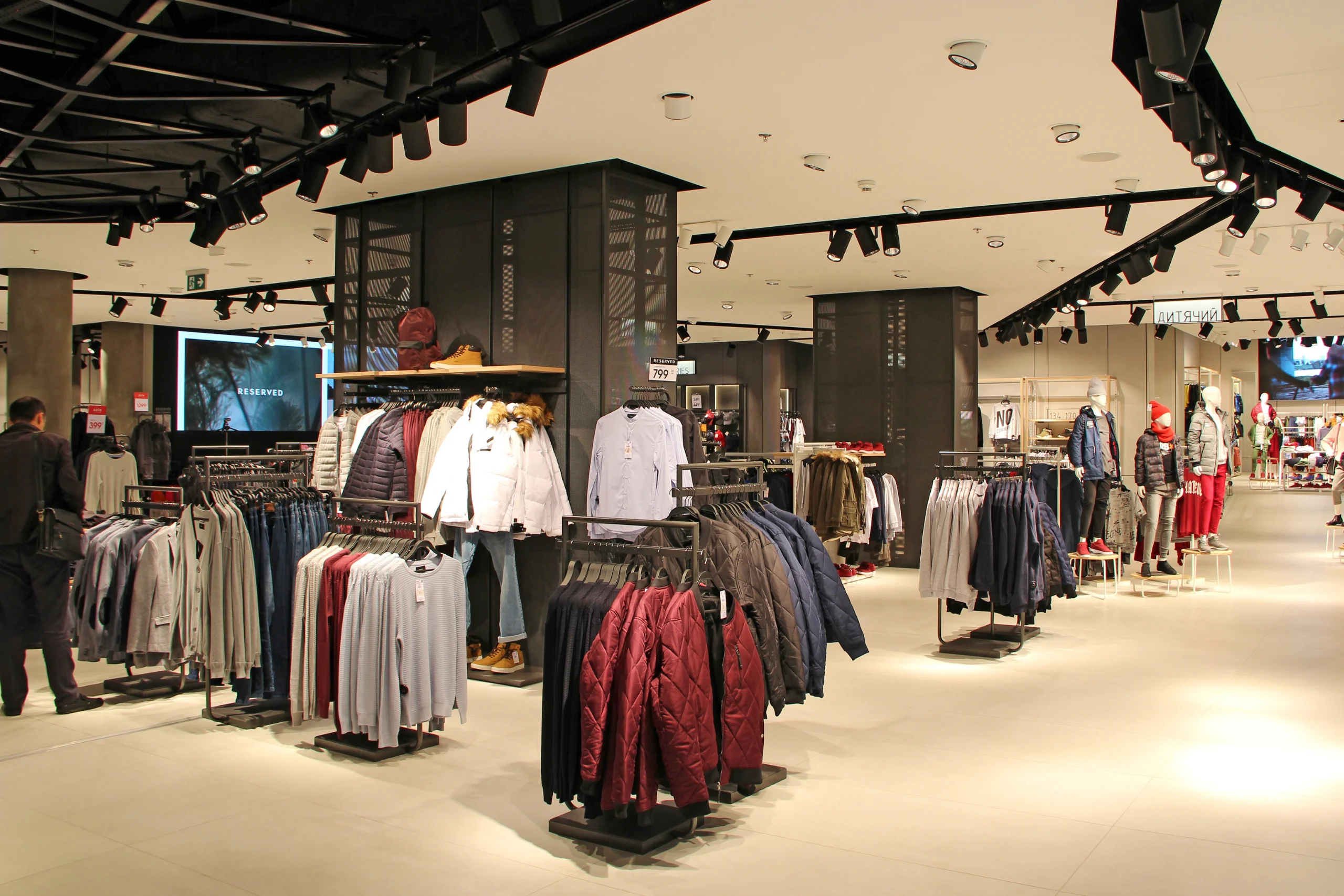
This approach mimics how larger retailers design store layouts—but you can replicate it using simple, low-cost materials.
Step 3: Replace Decoration With Demonstration
One of the biggest upgrades you can make is shifting from “displaying” products to demonstrating value.
Customers are not just buying objects—they are buying outcomes.
Instead of:
- showing a notebook → show how it helps organize a busy schedule
- showing skincare → show a routine
- showing kitchen tools → show them in use
This reduces friction in the buying decision.
The easier it is for customers to imagine using your product, the more likely they are to purchase.
Table 3. Best Display Strategy by Product Type
Different product categories require different types of showcasing. Focus on what helps customers evaluate the product fastest.
| Product Category | What Customers Need | Best Budget Display Approach |
|---|---|---|
| Beauty / skincare | Trust and clarity | Clean visuals, routines, testers |
| Handmade goods | Emotional connection | Story cards, textures, packaging |
| Apparel | Fit and styling | Bundled outfits, mirror visuals |
| Food products | Quality and taste | Samples, ingredient displays |
| Home goods | Context and scale | Lifestyle setups |
| Digital/custom products | Proof and results | Before/after examples, testimonials |
Step 4: Use Social Proof to Reduce Risk
Customers hesitate when they feel uncertain. Social proof removes that hesitation.
According to Nielsen, consumers consistently rank recommendations from other people as one of the most trusted forms of influence.
For small businesses, this means:
- customer photos matter
- testimonials matter
- “best seller” labels matter
But there is an important caveat.
The Federal Trade Commission has clear guidelines on endorsements and reviews. Businesses must avoid misleading claims or fake testimonials.
That means:
- only use real customer feedback
- disclose partnerships if applicable
- avoid exaggerated claims
Trust builds sales—but only when it is genuine.
Step 5: Turn Signage Into a Sales Tool
Many businesses waste valuable display space with weak signage.
A price alone does not sell a product. A benefit does.
Compare:
- “$20 Candle”
vs - “Hand-Poured Soy Candle – 40 Hour Burn, Clean Scent”
The second version answers key buying questions instantly.
Good signage should:
- explain what the product does
- highlight a key benefit
- reduce confusion
- guide decision-making
This is one of the highest ROI improvements you can make.
Step 6: Treat Social Media as Part of Your Display System
Your product display does not stop at your table or website.
Platforms like:
- TikTok
are extensions of your merchandising strategy.
According to HubSpot, visual content continues to be one of the most effective ways to engage audiences and drive marketing performance.
Instead of treating social media as separate:
- reuse your display setups for content
- film quick product demos
- capture customer usage
- show behind-the-scenes creation
This multiplies the value of every display you create.
Step 7: Build a Reusable Display System (Not One-Off Setups)
The biggest budget mistake is rebuilding displays from scratch every time.
Instead, create a modular system:
- neutral props
- reusable signage
- consistent color palette
- flexible layouts
This allows you to:
- refresh your display quickly
- maintain brand consistency
- reduce long-term costs
Over time, consistency becomes part of your brand identity—and that builds recognition and trust.
Table 3. Monthly Product Display Optimization Checklist
The most effective businesses do not guess what works—they review and improve continuously.
| Question | If “No,” Do This |
|---|---|
| Is the product instantly clear? | Simplify layout |
| Does it look high-quality? | Improve lighting |
| Is the benefit obvious? | Rewrite signage |
| Is there social proof? | Add testimonials |
| Are best sellers highlighted? | Reposition products |
| Does it match your brand? | Standardize visuals |
| Have you tested a change recently? | Run a small experiment |

Conclusion
Great product showcasing is not about spending more—it is about thinking more strategically.
When you focus on clarity, credibility, context, and conversion, even simple displays can outperform expensive setups that lack direction.
For small businesses, this is an advantage.
You can move faster, test more ideas, and refine your presentation based on real customer behavior. Over time, those small improvements compound—turning a basic display into a powerful sales tool.
FAQ Section
How can I make my products look professional without spending a lot of money?
Start with the fundamentals before buying anything expensive. Good lighting, clean backgrounds, consistent colors, and clear product organization usually make a bigger difference than fancy fixtures. For online selling, natural light and uncluttered product photography can immediately improve how credible your listings look. For in-person selling, using risers, trays, signage, and grouped displays can make a small setup feel more intentional. The biggest improvement often comes from showing products clearly and consistently, not from spending heavily on props. If customers can quickly understand what the product is, what problem it solves, and why it is worth the price, your showcase is already doing its job.
What is the cheapest way to improve a product display?
The cheapest improvement is usually simplification. Remove clutter, improve lighting, group similar items together, and make sure your best sellers are featured first. Rewrite signs so they explain a benefit, not just a price. Reuse household or business items as props, such as crates, trays, neutral fabrics, books, jars, or baskets. In many cases, a cleaner arrangement and a stronger message will do more than buying new materials. That is especially true for small businesses that need every display piece to be reusable across multiple promotions or seasons.
Do product photos really affect sales?
Yes. Product photos are often one of the first things customers evaluate when deciding whether to keep browsing or move on. Baymard’s research shows that product-page UX is still weak across many ecommerce sites, and product imagery plays a major role in helping users assess products properly. Baymard has also reported that 25% of ecommerce sites lack sufficient image resolution or zoom. For a small business, better photos can improve perceived quality, reduce hesitation, and create a more trustworthy buying experience. You do not need an expensive studio to benefit from this. You need images that are well lit, accurate, and helpful.
How can I use customer reviews or testimonials in my product displays?
Customer proof works best when it is specific and authentic. You can use short testimonials, “customer favorite” labels, user-generated photos, review snippets, or star ratings to reinforce trust. These are especially effective when customers are undecided or when they are comparing similar products. However, you need to use them honestly. The FTC has published guidance on endorsements, influencers, and reviews, and its reviews rule targets deceptive practices involving testimonials. That means businesses should avoid fake reviews, misleading claims, or undisclosed paid endorsements. Real proof is persuasive enough on its own.
What should I highlight first in a small display space?
Lead with the products most likely to get attention or drive action. That usually means best sellers, new arrivals, seasonal items, giftable products, or entry-level offers that make it easy for customers to buy. In small spaces, every inch has to earn its place, so avoid trying to feature everything equally. Give customers a clear starting point. Once they engage with one strong product, they are more likely to browse related items. A focused display usually outperforms a crowded one because it reduces decision fatigue and makes your merchandising easier to understand at a glance.
